¶ Navigating to the page
- From the Dashboard, go to either the Homework & Quizzes tab or the In Class Exercises tab
- Create a new Exercise or edit an existing exercise
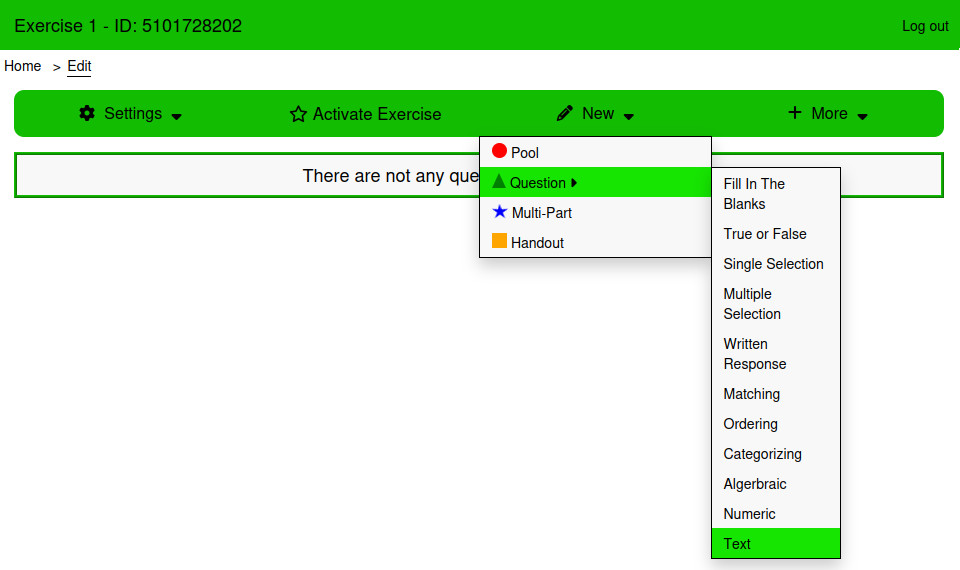
- From the Edit page, Click New → Question → Text
¶ Using the page
¶ Settings
¶ This is a survey
Survey questions have no correct answer, and will not be marked.
¶ Case Sensitive
If this is checked, then capitalization will be important while evaluating the answer. If not, then the answer will be converted to lower case before evaluation.
¶ Verification Type
There are three types of verification for marking short answer questions:
- Exact Match: The answer will be compared to a single correct answer for equivalence
- List Match: The answer will be compared to a list of correct answers, to see if it is equal to one or more of them.
- Pattern Match: The answer will be evaluated using a Regular Expression.
¶ Style
¶ Answer Style
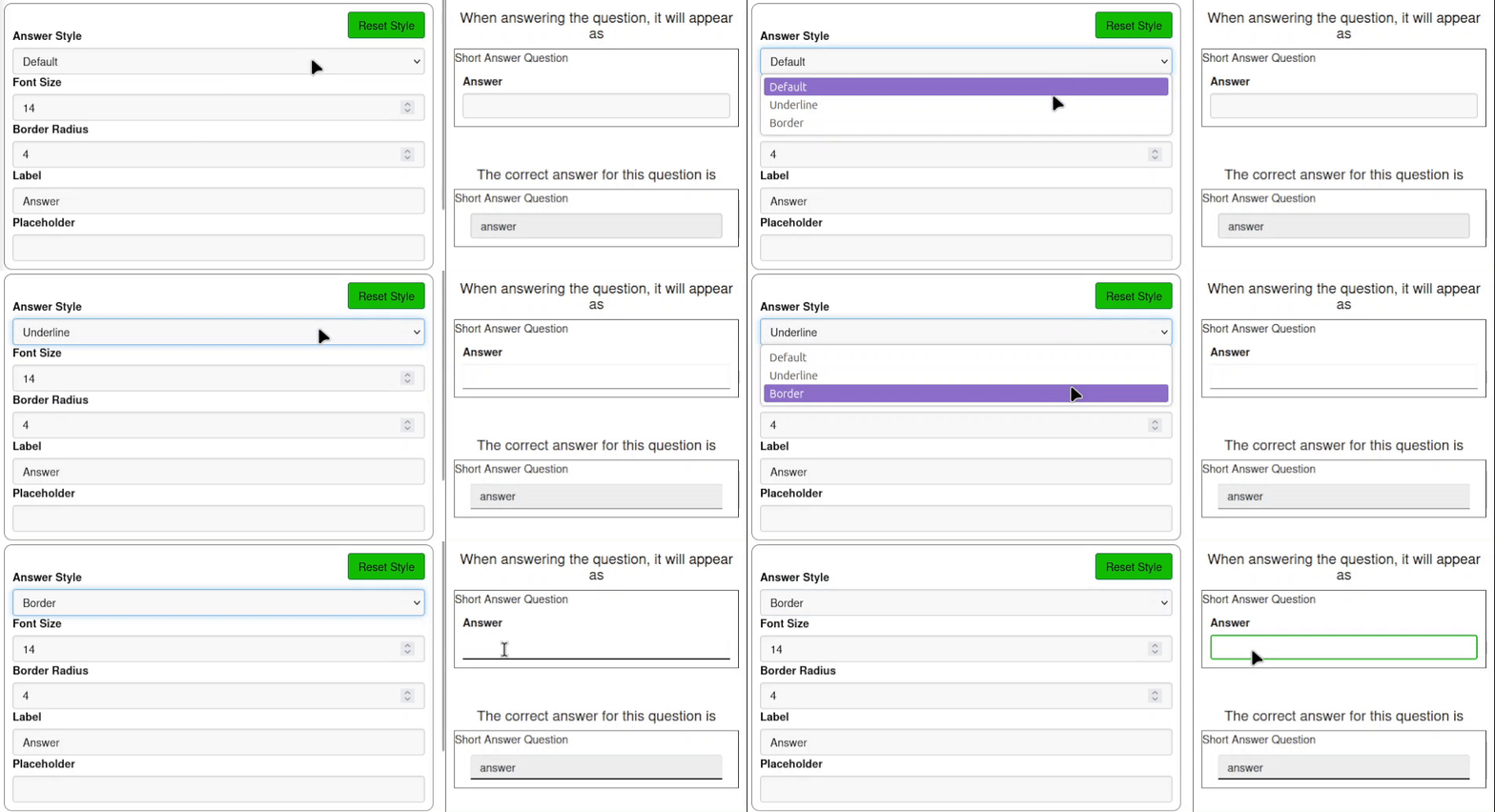
Select between the Default, Underline, and Border styles.
¶ Font Size
The font size of the text in the answer input.
¶ Border Radius
Used to control the roundness of the answer input.
¶ Label
Text above the answer input
¶ Placeholder
Text that appears inside the answer input when it is empty.
¶ Examples
The answer to the question is text. Students answer it by entering the correct answer into the text input below the question text.
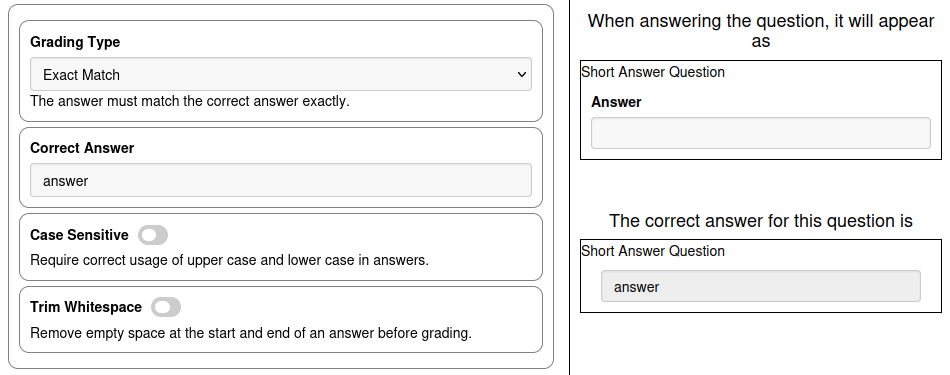
If Case Sensitive is false, then the correct answer and the student's answer will both be coerced to lower case before evaluating the answer.
The style settings can be used to customize the look of the text input for the correct answer
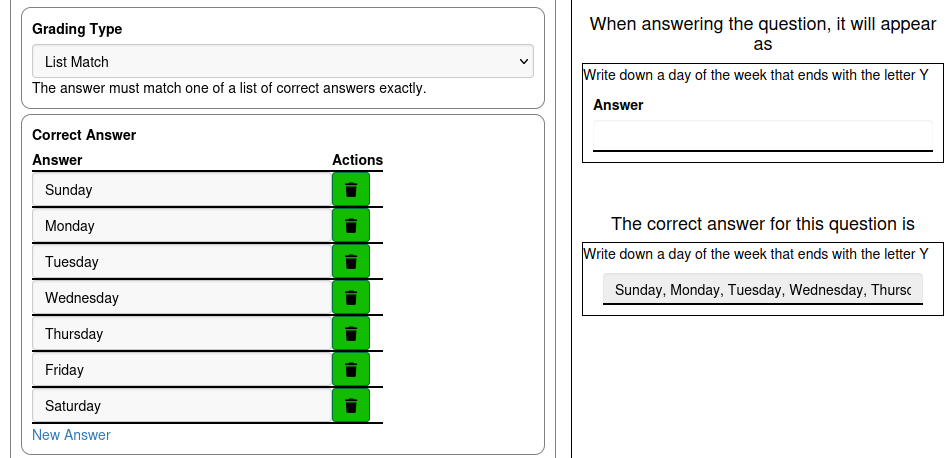
When the Grading Type is set to list match, several correct answers can be given. If the student answers match one of the answers in the list, it is marked as correct.
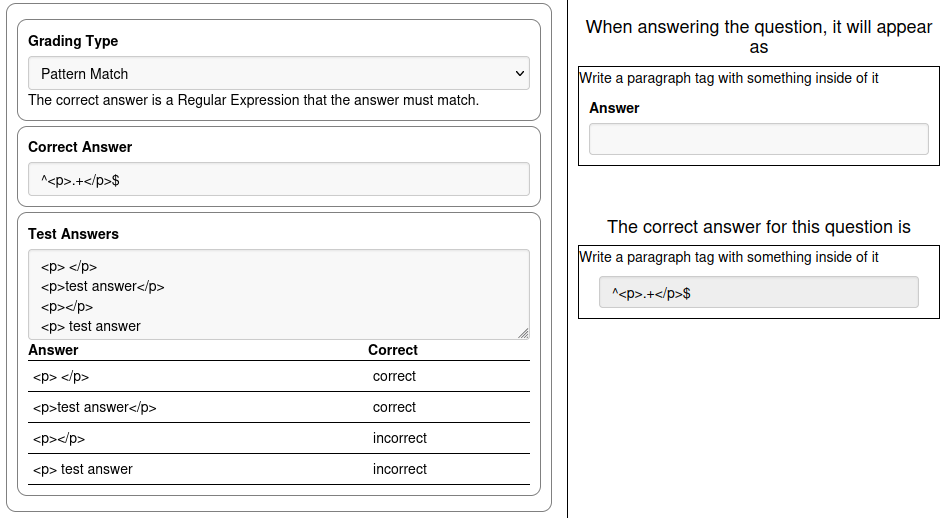
When the Grading Type is set to Pattern Match, the correct answer becomes a regular expression that is passed as the pattern argument to the grepl function. This setting is designed for users who are familiar with Regular Expressions. Documentation about the grepl function can be seen using the Documentation window as described on the Formulas page. The correct answer is passed as the argument pattern, and the answer being submitted is passed as the argument x, all other arguments use the default values.
The settings Case Sensitive and Trim Whitespace are not used when the Grading Type is set to Pattern Match, case sensitivity and trimming white space need to be accounted for in the pattern given as the correct answer.
When the Grading Type is set to Pattern Match, a section for creating Test Answers is provided to double check that the pattern will mark answers correctly or incorrectly as expected.
The example in the image asks the student to write a paragraph tag with something inside of it. The pattern ^<p>.+</p>$ checks for whether the answer begins with <p>, whether at least one character follows the beginning of the string, and whether the string ends with </p>. If all of those are satisfied, the answer will be marked true.