Formulas allow professors to calculate values based off of variables and other formulas using the R programming language.
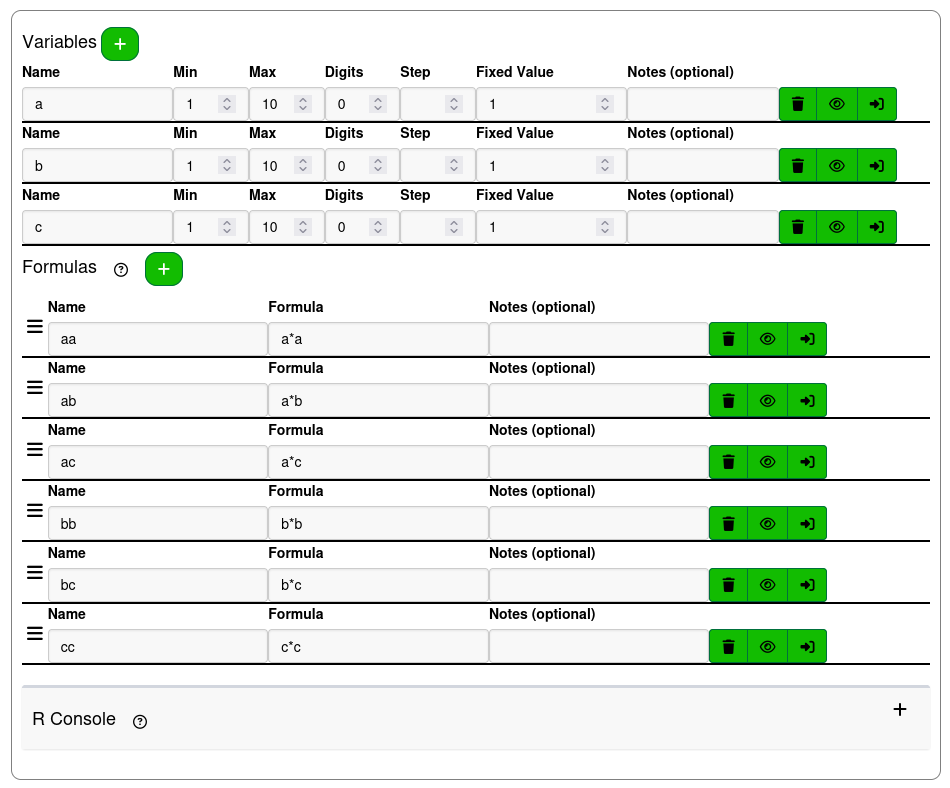
Formulas are written in a table. The Name and Notes fields behave the same as the fields with the same name do for Variables. The Remove, Preview, and Add to Question actions also behave the same.
Unlike other parts of EduRITA, in formula definitions, variables and formulas are not referenced using the !{var_name} substitution syntax. A variable or formula can be referenced by using its name, or by wrapping its name in back-ticks (`).
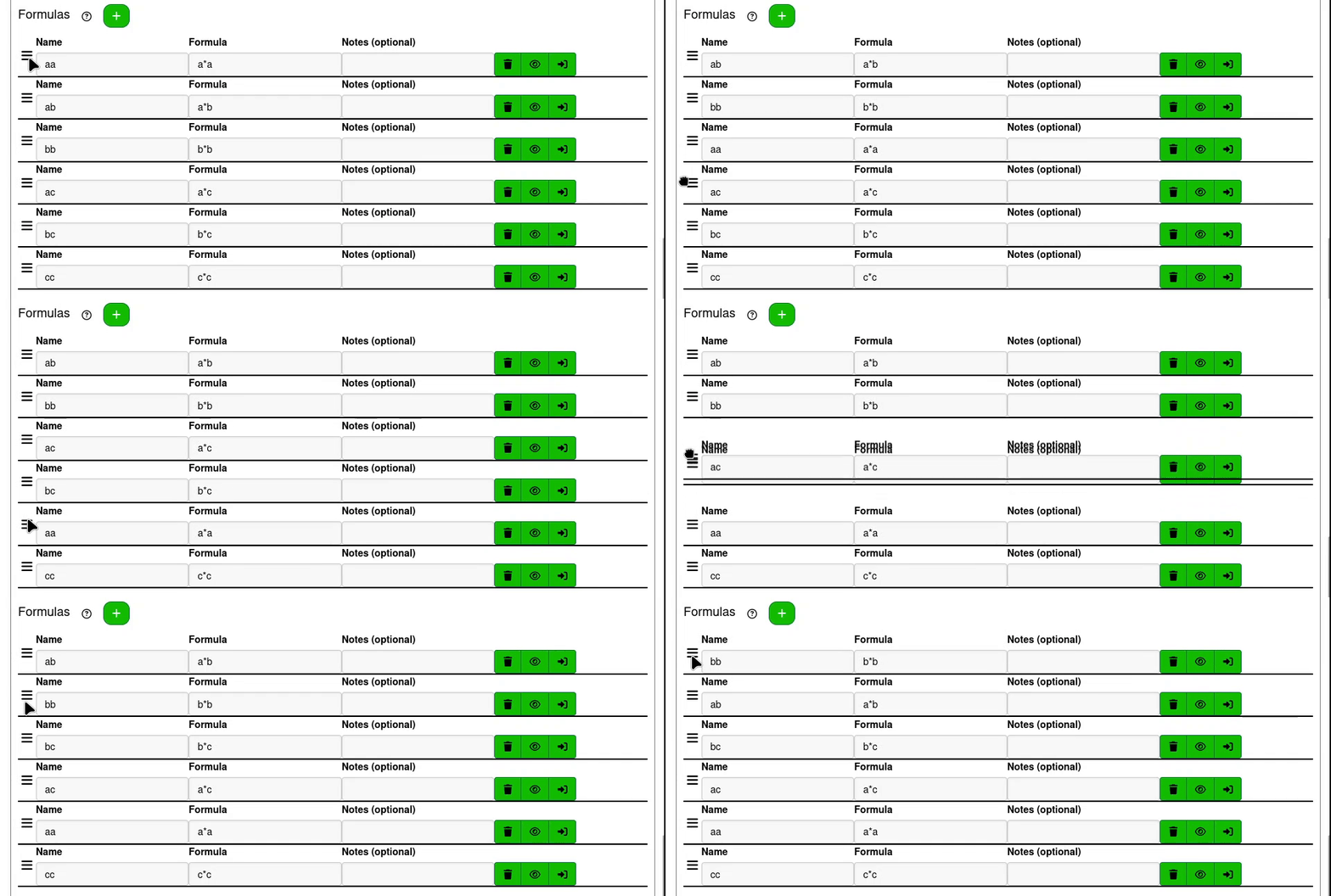
Formulas can be used as variables in other formulas, but only if that formula is defined above it in the table. Formulas can be reordered by dragging the bars icon on the left side of the row.
¶ Writing Formulas
The definition for formulas is given in the Formula field. The formula is interpreted as R code by EduRITA and evaluated in a limited environment. The formula's value is assigned as the Name given in the limited environment with code similar to `Name` <- Formula. Valid formulas must be valid R code. Formulas can use functions that are included in the limited environment, variables, and functions that have been defined before it.
To see what functions are included in the limited environment, and see documentation about how to use them. Click on the question-circle button next to the Formulas label or the R Console label.
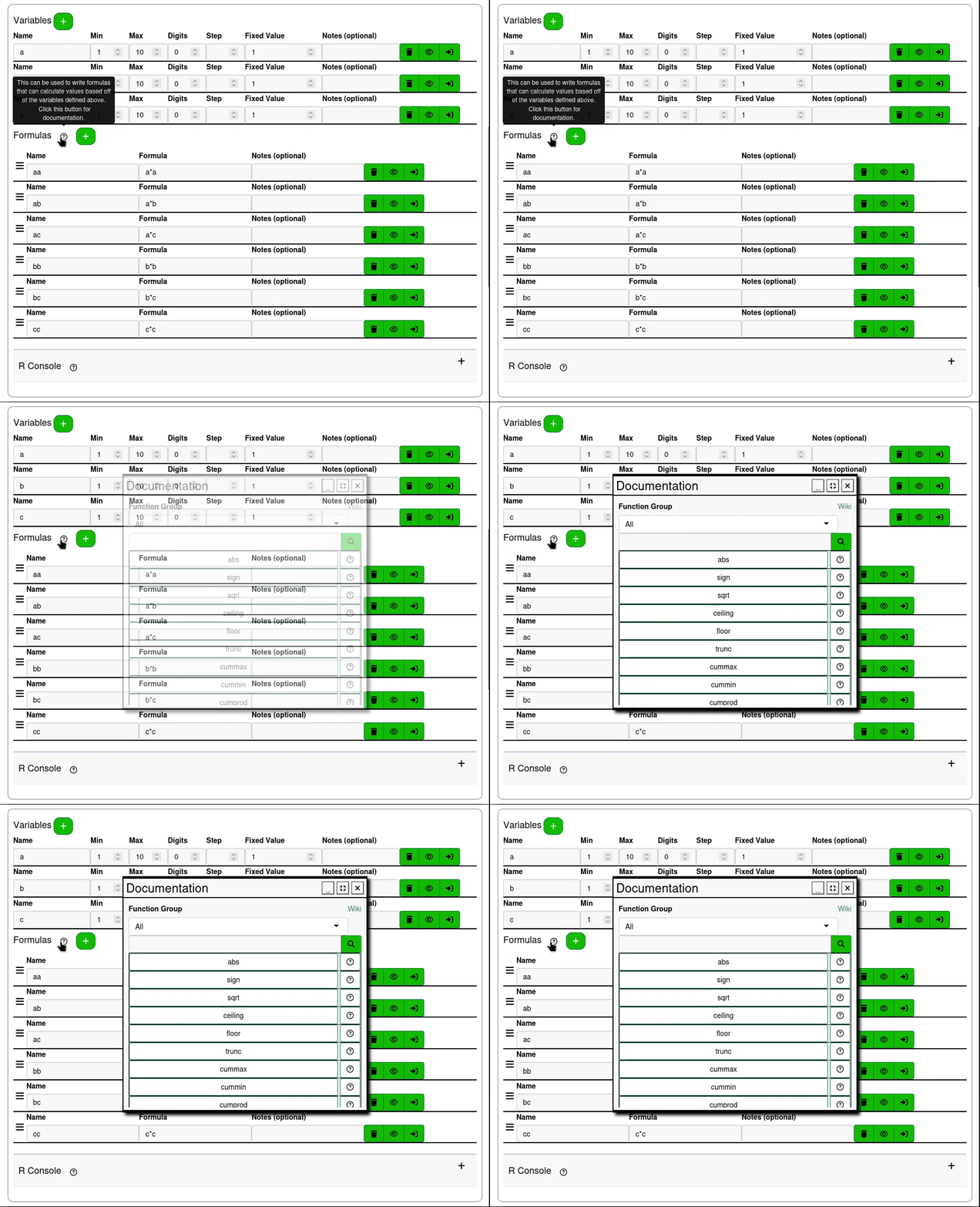
The documentation window can be dragged and resized. Functions can be filtered by Function Group and clicking on a function's name will open the R documentation for that function.
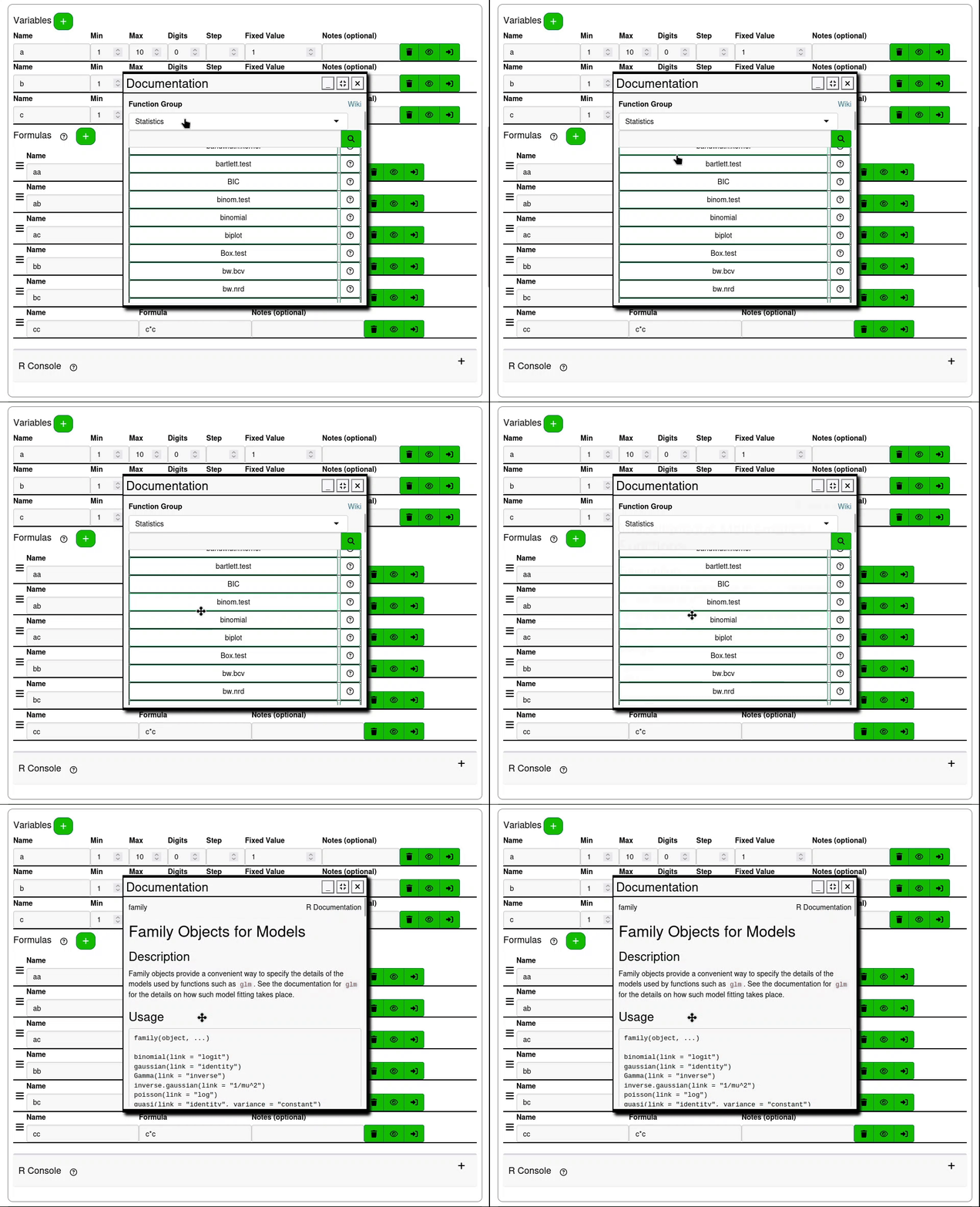
Because EduRITA is written in R, all of its documentation is available to render within the website, and does not need to connect to external documentation.
¶ Formula Order
Variables and Formulas are loaded into the limited R environment one at a time. The variables are loaded first, in the order they are defined, and then formulas are loaded in the order that they are defined.
Formula definitions can use other formula names as variables, but this can only happen if the variable name being used is for a formula that was defined before the current formula.
If you have a formula that depends on a formula defined after it, make sure to reorder the formulas so that they can be defined in the correct order.

¶ R Console
The console, placed below the formulas, is a sandbox to test the code for formulas in an input with more space.
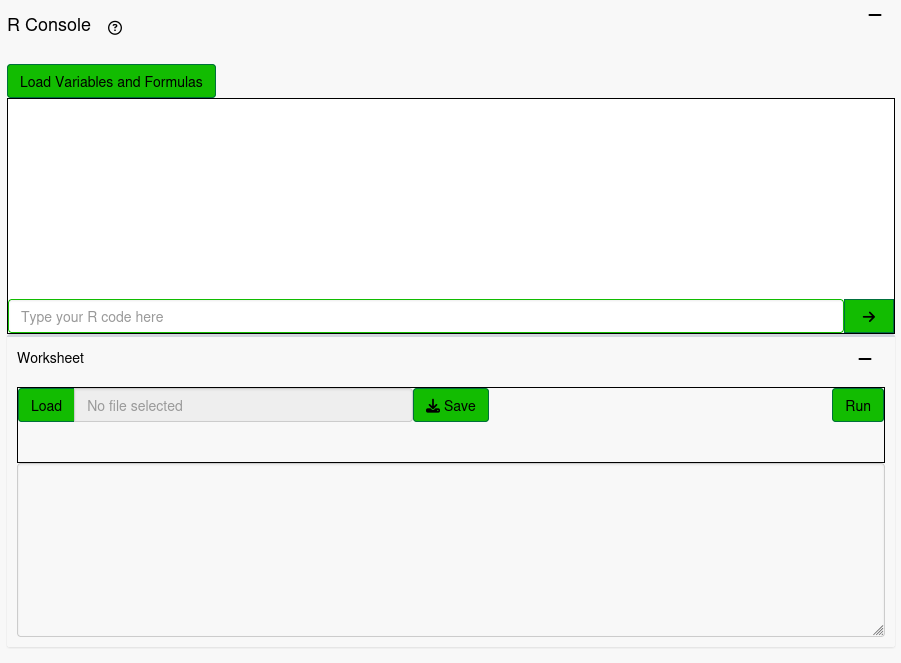
The console has a section to write and submit R code with a section above that shows a history of submitted lines of code with their outputs. The Load Variables and Formulas button will submit the definitions for every variable and formula on the page in the order they are written so that they can be in the console's environment. The console environment is not reactive to the variable and formula definitions, so they need to be defined first.
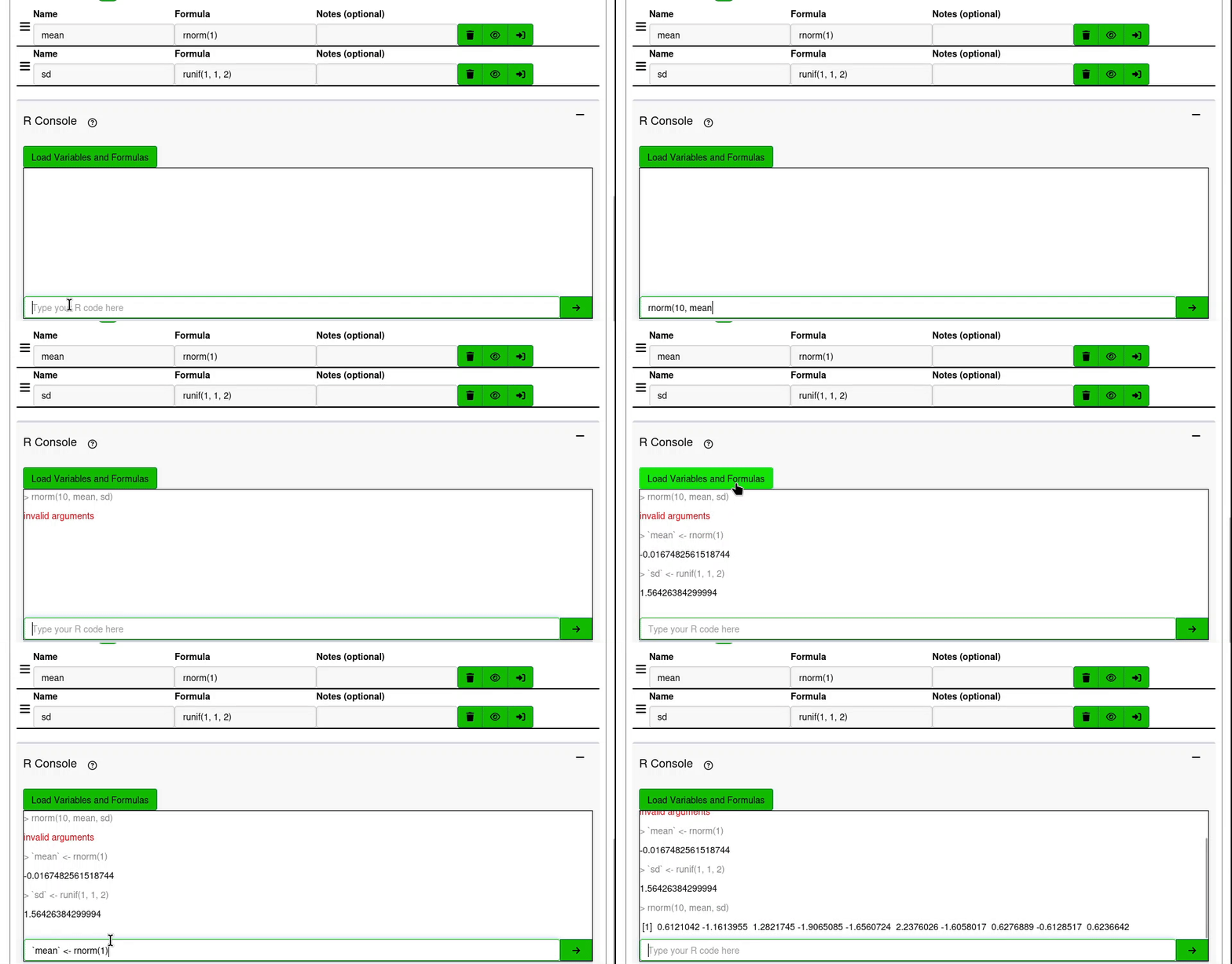
When typing R code, the up and down arrows can be pressed to look through the history of the R console. The history lasts for the lifecycle of the page. The console's history is empty when loading and refreshing the page.
The Worksheet is a text area input where multiple lines can be typed and entered into the console. Pressing ctrl + enter when the text area is focused will submit the line of text the cursor is currently on into the console. Highlighting a section of text and then pressing ctrl + enter will submit all of the highlighted text into the console. It will not run text that is not highlighted, even if that text is on the same line.
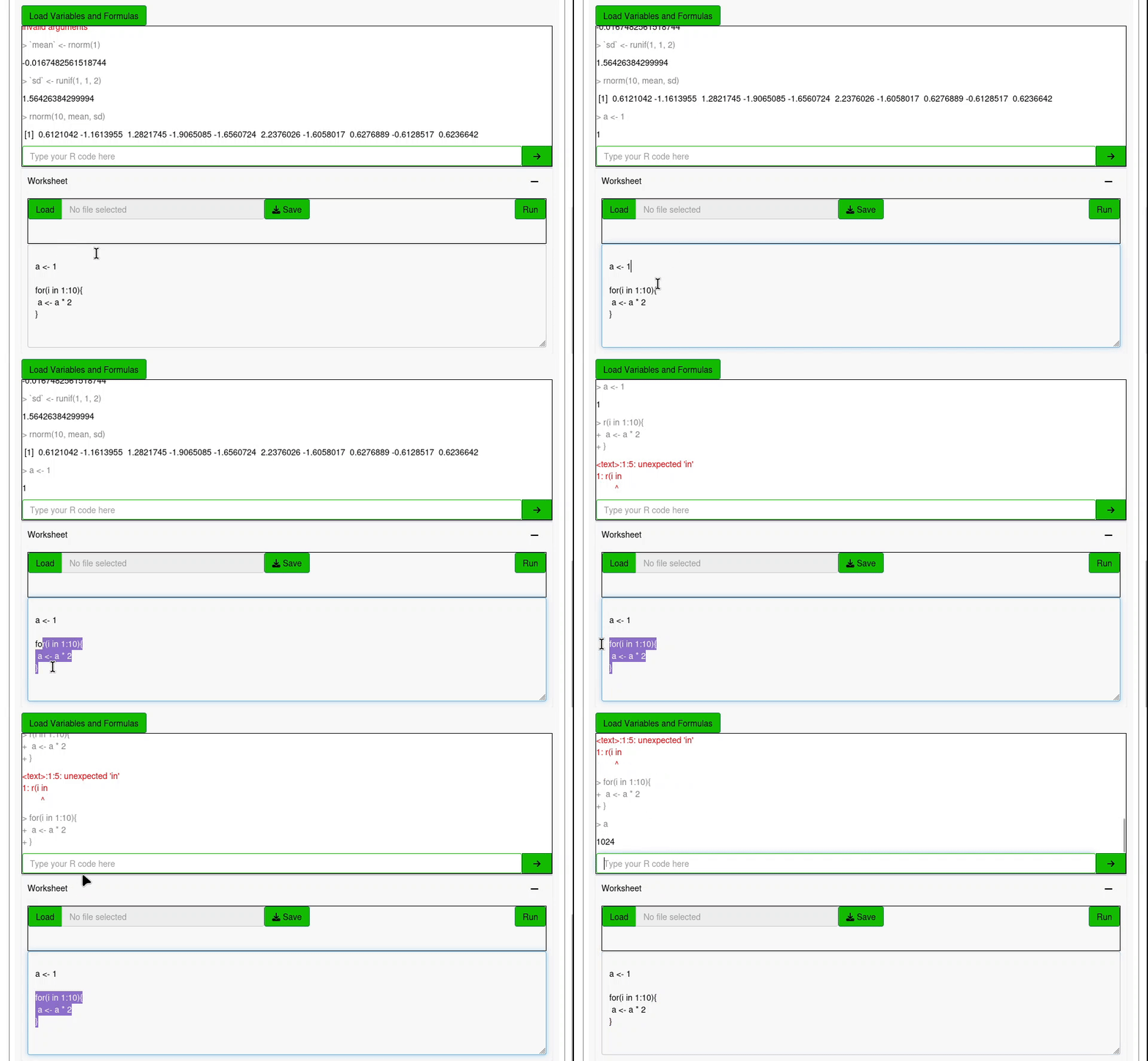
Worksheets can be saved to your machine and files from your machine can be loaded into the worksheet. Pressing the Run button will submit all of the text in the worksheet into the console.
¶ Troubleshooting
Here are some potential error messages that could be seen while attempting to save your question or preview a formula.
¶ Object ‘ ’ Not Found
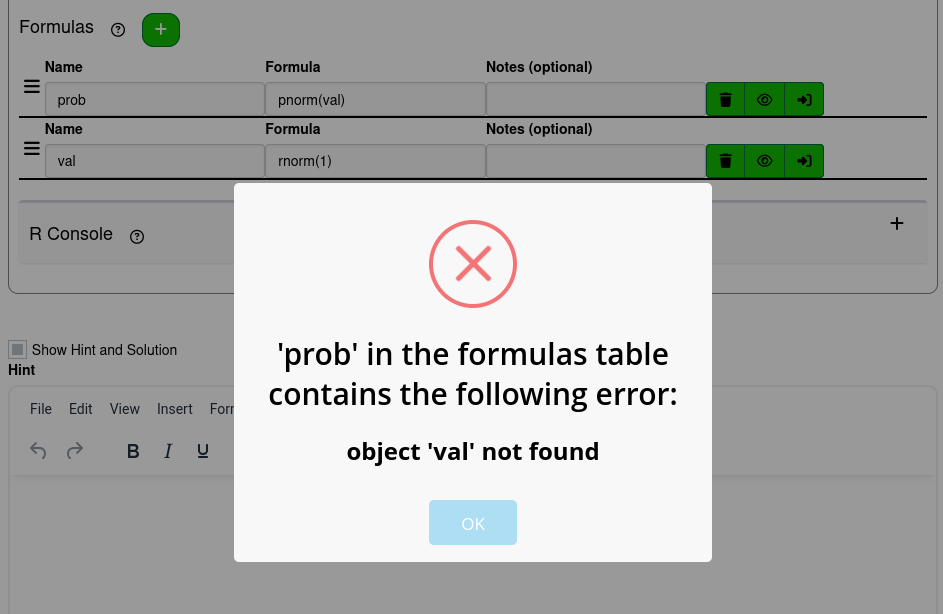
This error occurs when a variable is used but not defined. Like in other times using R, this can occur just because of a typo in the name field or formula field, but when defining formulas this error can also occur when there are errors in formulas related to the formula being previewed. The screenshot above shows the error that occurs when previewing the incorrectly ordered formulas from the Formula Order section. val has not yet been defined, so there is no object val for prob to calculate the pnorm of. The solution to this is to correct the formula order.
¶ Error message from another formula
Formulas are defined in order. To preview a formula, the formulas that are defined before it must also be valid. If one of the preceeding formulas has an error, that error will be output before EduRITA has a chance to preview the formula in question.
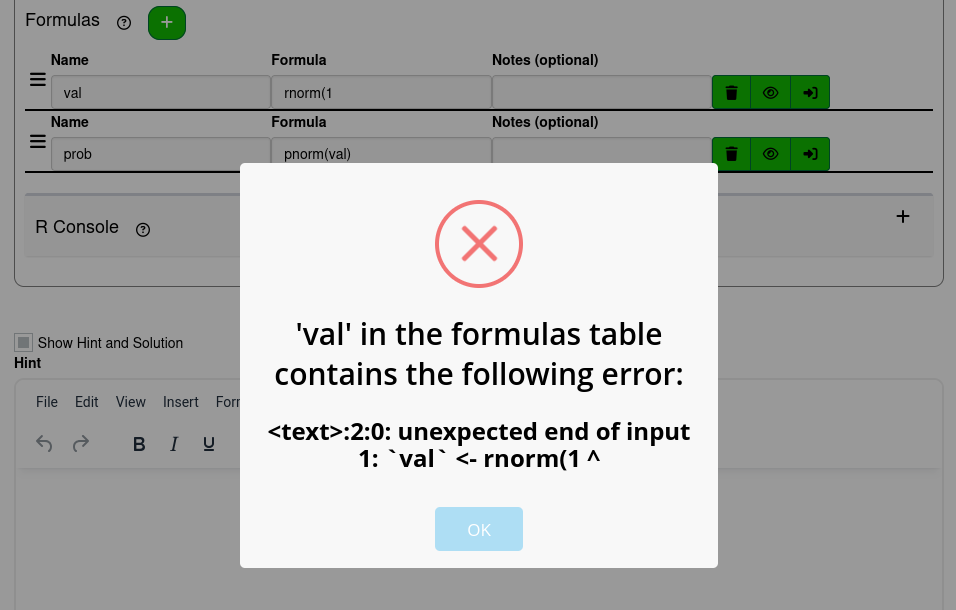
In this example, previewing prob encounters an error because the formula val is not valid. The right parenthesis is missing from the rnorm function call, producing the error. In order to solve the issue with previewing prob, the error with val must be corrected first.