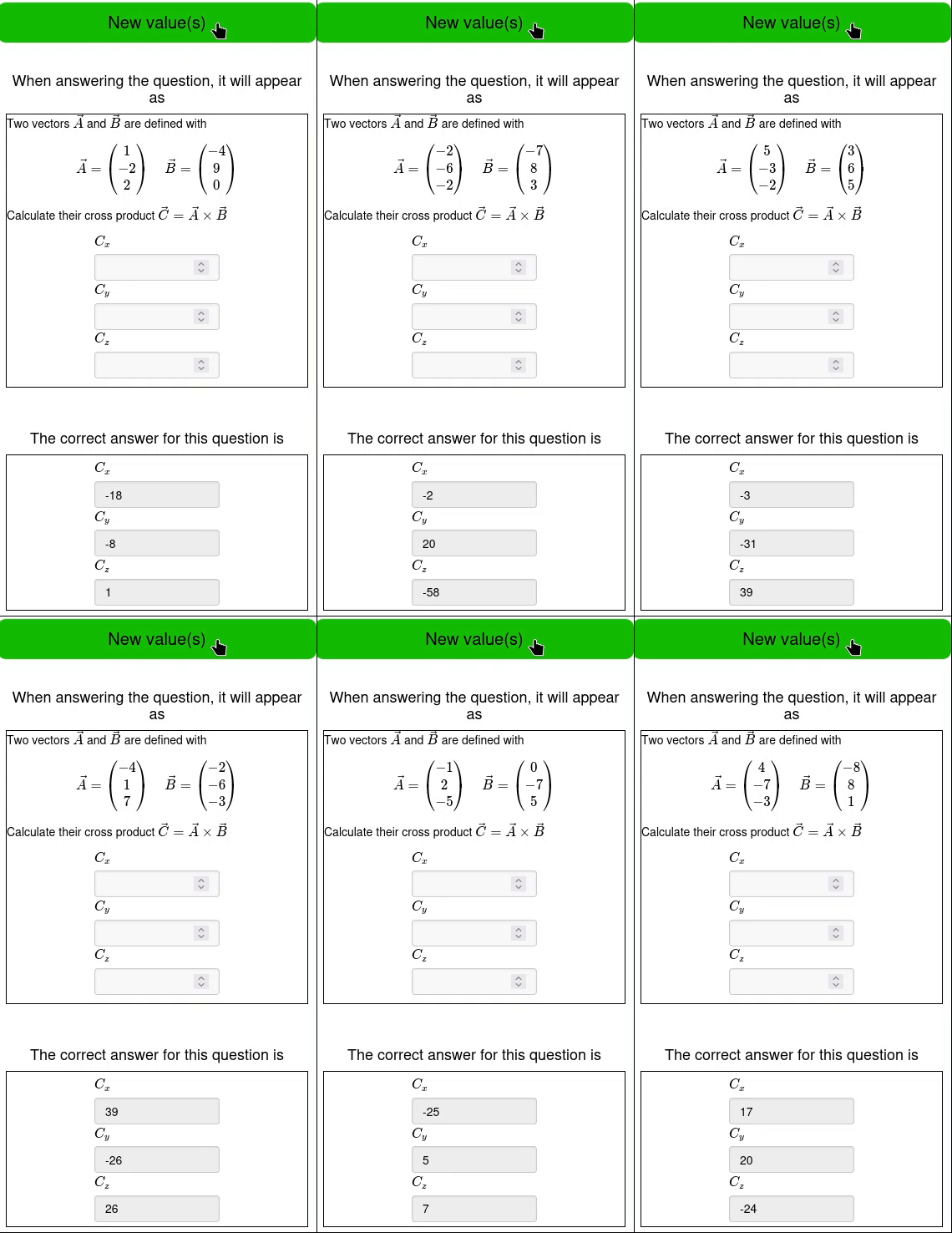
See the Numeric Answer Question section of the Randomizing Exercises tutorial for more examples of this question type.
¶ Navigating to the page
- From the Dashboard, go to either the Homework & Quizzes tab or the In Class Exercises tab
- Create a new Exercise or edit an existing exercise
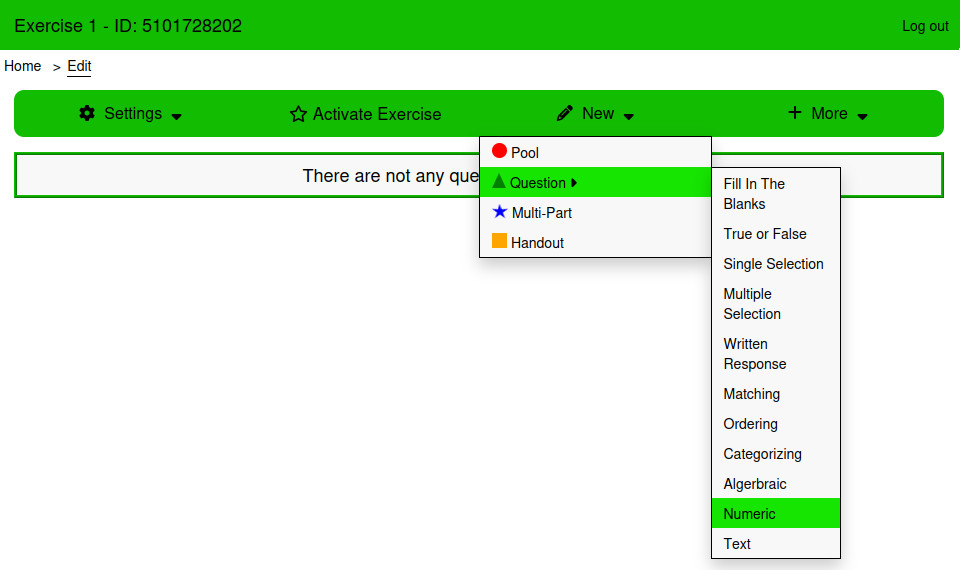
- From the Edit page, Click New → Question → Numeric
¶ Using the page
¶ Answers
The answers are entered into a sortable table underneath the “Order Correct Answers setting. It has as many rows as are set in the ”Number of Correct Answers" setting. The Correct Answer column for each answer is a formula. Any R code that produces a number will produce a valid answer.
¶ Settings
¶ Include Correct Answer
If this is set to Yes, this question will be for marks. If this is set to No, this question will not be for marks.
¶ Order Correct Answers
If this is set to No, then students can enter their answers in any order and it will be correct so long as they enter all answers.
¶ Enforce Precision
Should the answer be incorrect if it isn't rounded to the correct number of digits?
¶ Tolerance Type +/-
Tolerance is the acceptable error an answer can have while still being correct. The tolerance type can be units or percent.
¶ Units
If the answer to the question includes units, then they can be included using the Name, Worth (%) and Evaluation Options inputs.
¶ Style
¶ Answer Style
Select between the Default, Underline, and Border styles.
¶ Font Size
The font size of the text in the answer input.
¶ Border Radius
Used to control the roundness of the answer input.
¶ Examples
This question type can have multiple inputs. The answers to all of them are numeric.
¶ Roots of a Polynomial
This example asks the student to calculate the roots of the polynomial x^3 - x.
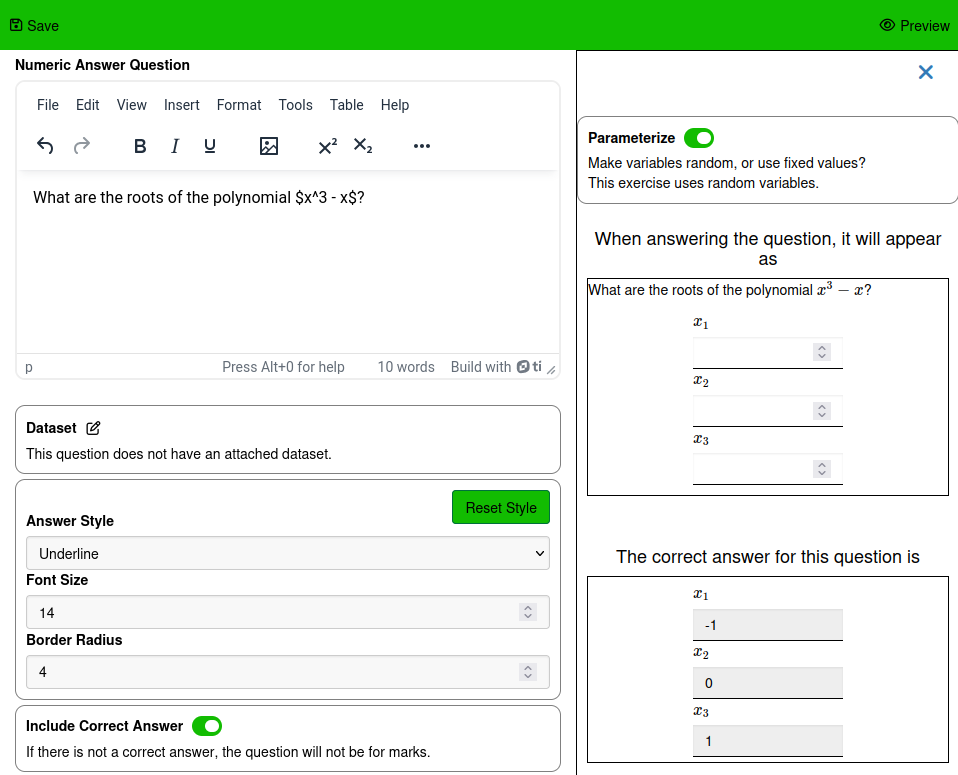
For this question, the order of the answers is not important. It should be just as correct if the student writes 1, 0, and -1 as if they write 0, 1, -1; or any other order of answers. To enable that when marking, make sure that the setting Order Correct Answers is false.
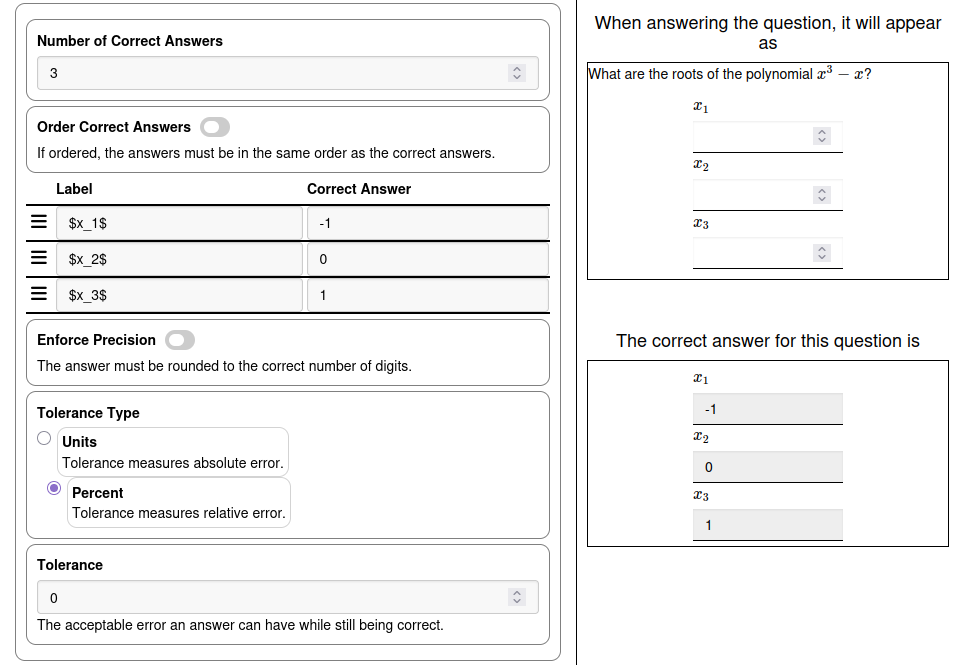
Math mode $…$ is used to display the subscripts in the labels for each input.
¶ Randomized Cross Product
This example will ask students to calculate the cross product of two random vectors.
Starting with the variables and formulas, create 6 variables. One for the x, y, and z components of each vector, and then three formulas for the x, y, and z components of the cross product.
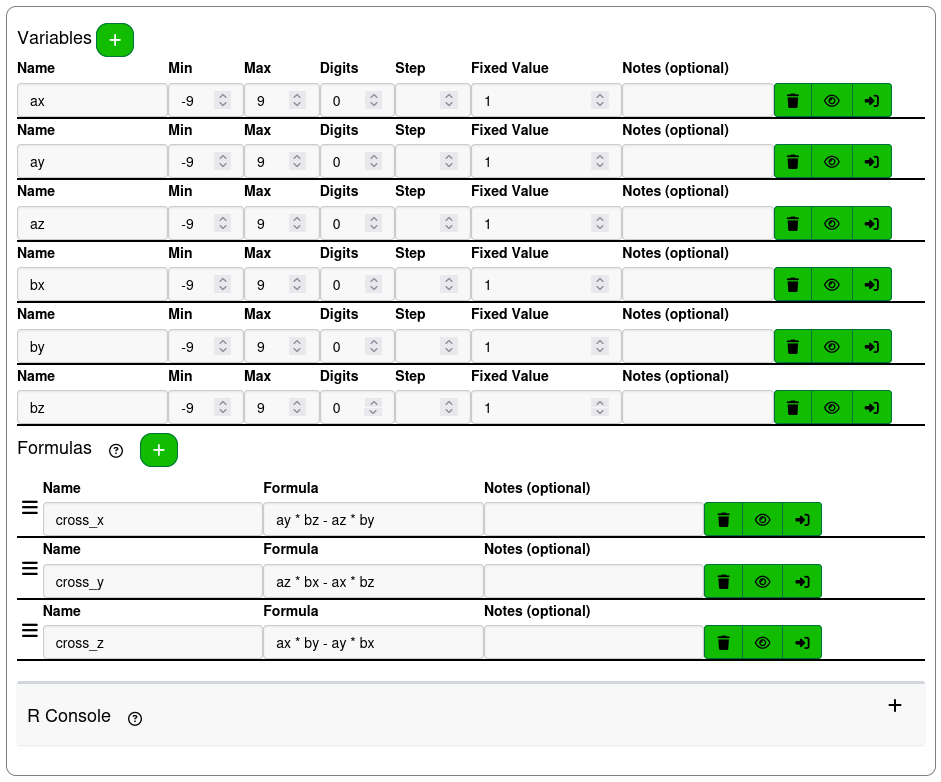
The question text for this example is
Two vectors $\vec{A}$ and $\vec{B}$ are defined with
\[\vec{A} = \begin{pmatrix} !{ax} \\ !{ay} \\ !{az} \end{pmatrix} \quad \vec{B} = \begin{pmatrix} !{bx} \\ !{by} \\ !{bz} \end{pmatrix}\]
Calculate their cross product $\vec{C} = \vec{A} \times \vec{B}$
The TinyMCE editor treats each individual line of text as a paragraph tag. Katex is not able to recognize when math mode is started and ended across tags. Because of this, the simplest way to write a latex expression is inline, even when the expression would more traditionally take several lines.
The Answers are going to be labelled $C_x$, $C_y$, and $C_z$ with the answers cross_x, cross_y, and cross_z.
For this example the order of the answers is impotant, typing in the z component of the cross product as the x component should give the wrong answer, so Order Correct Answers should be enabled.
The answers in the answers table can be reordered by dragging the bars icon next to each row.
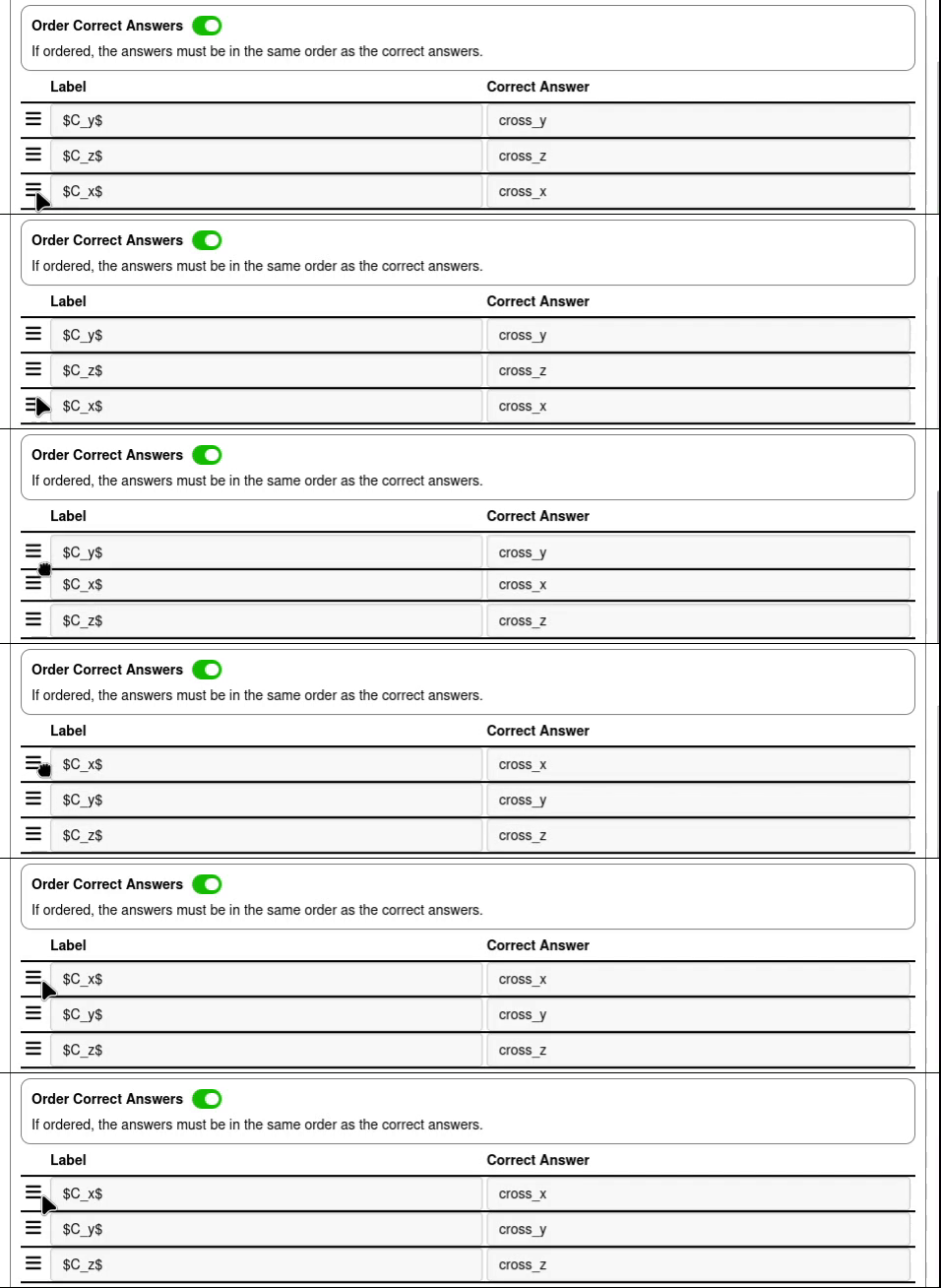
With the variables and formulas set up, the question text written and the answer in place, the question will be complete.