¶ Navigating to the page
- From the Dashboard, go to either the Homework & Quizzes tab or the In Class Exercises tab
- Create a new Exercise or edit an existing exercise
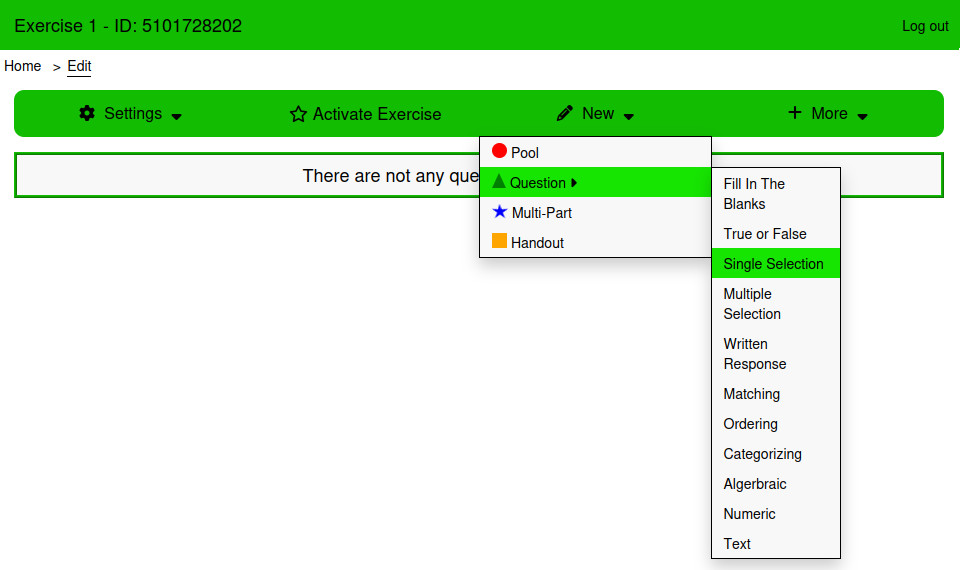
- From the Edit page, Click New → Question → Single Selection
¶ Using the page
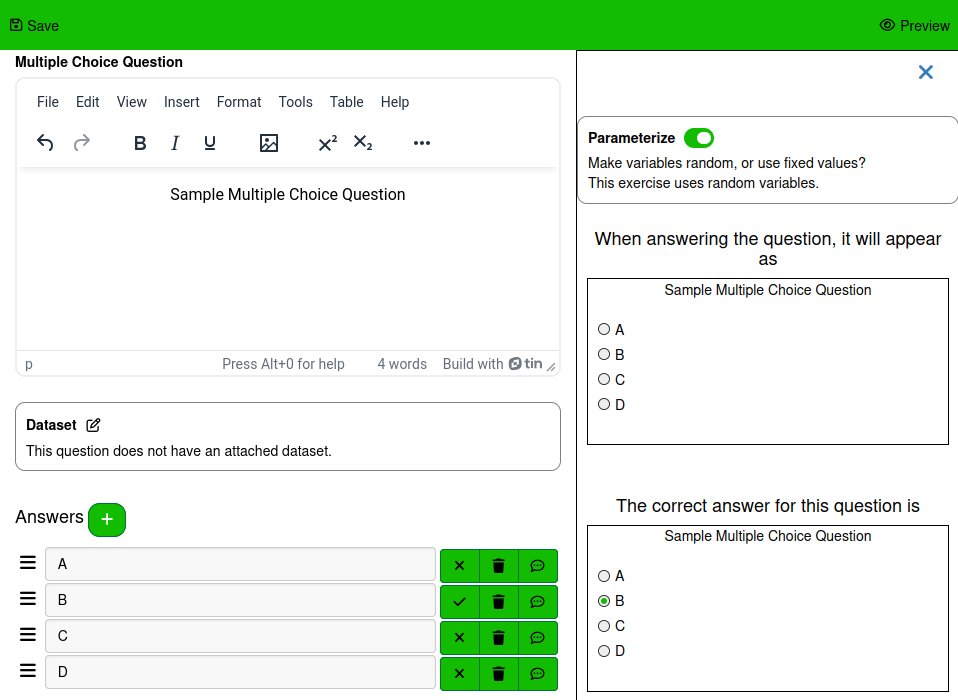
¶ Answers
The answers table is used to create the answers that students will select between. Answers cannot be empty when saving a Multiple Choice Question. The table is sortable. The order of answers can be changed by clicking and dragging the bars icon next to the answer input.
The following actions can be taken on each answer:
¶ Set as Correct/Incorrect Answer
This sets an incorrect answer as correct, and a correct answer as incorrect. If an incorrect answer is set as correct, all other answers are set to incorrect
¶ Delete
Removes the selected answer
¶ Feedback
Opens a modal to write feedback to provide the student if they answer this question with the selected answer.
¶ Settings
¶ This is a poll
Poll questions have no correct answer, and will not be marked.
¶ Pool Answers
Instead of displaying all of the answers written down, randomly select some of the answers to display.
¶ Style
¶ Answer Style
Select between the Default, Border, and Button styles.
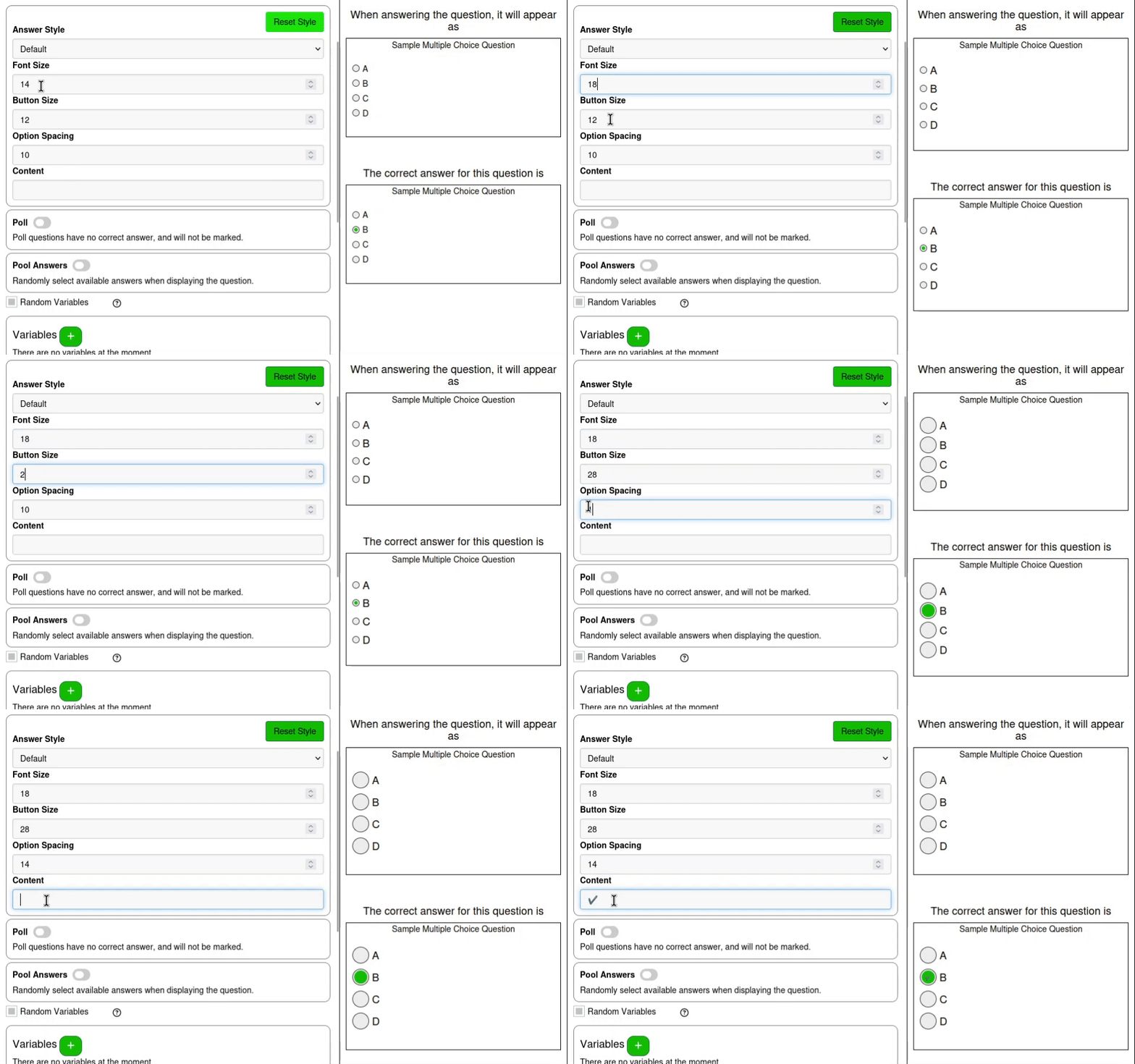
¶ Button Content
Text that will be placed on the selected option. The available styles only have room for one or two characters.
¶ Font Size
the font size of the text for each answer
¶ Button Size
The size of the radio buttons next to the answers
¶ Spacing
The space in pixels between answers
¶ Examples
For another example, the Multiple Selection Question section of the Randomizing Exercises tutorial shows an example of randomizing answers that also applies to Multiple Choice Questions. The main difference being that there is not an option to select a number of correct answers, as multiple choice questions always have one correct answer.
¶ Multiple Choice Styles
This example will display different styles of a simple example.
The default style indicates the selected answer with a green circle within the answer's radio button.
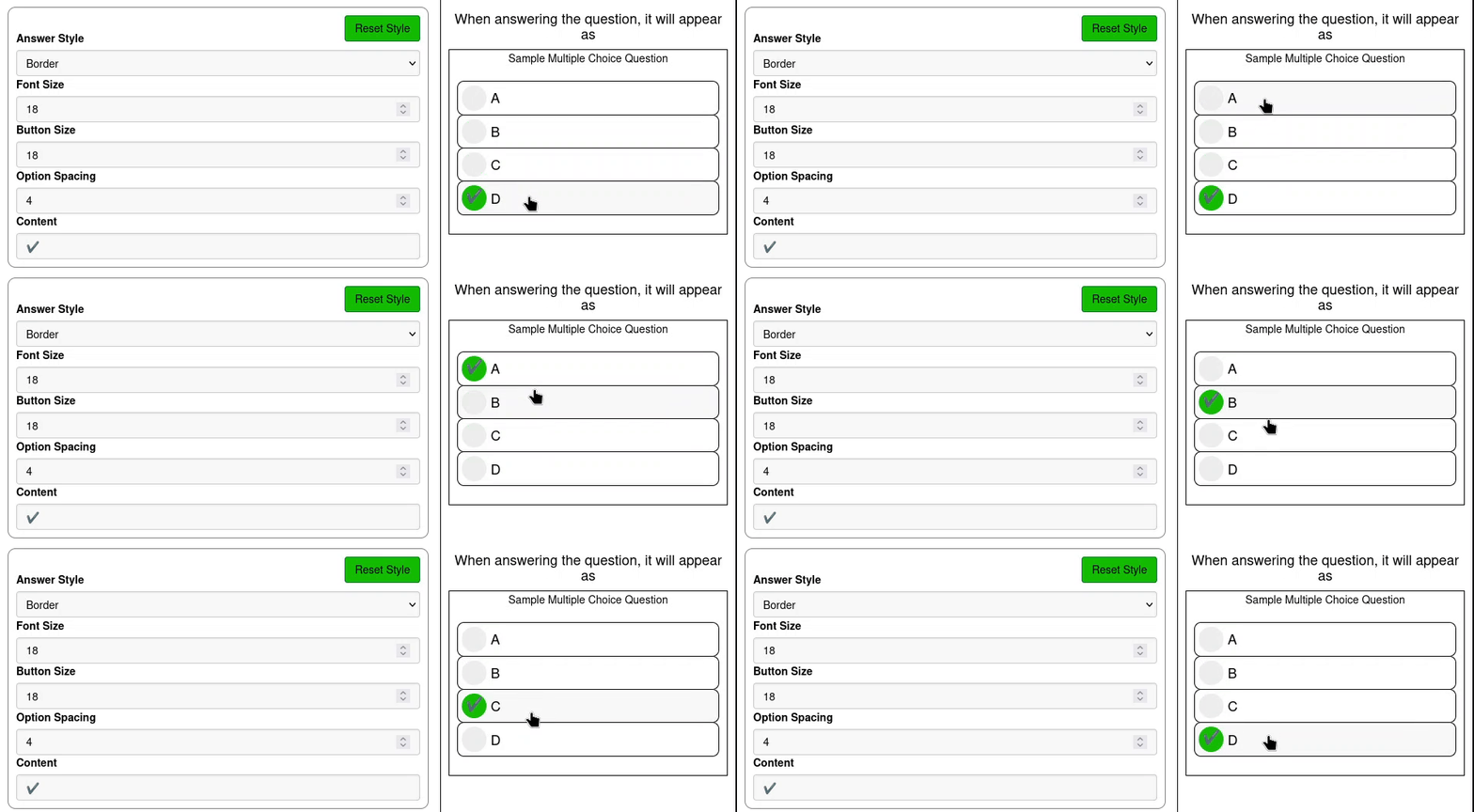
As well as changing the Answer Style, the Font Size, Button Size, Option Spacing, and Content can also be changed.
The Border style surrounds each answer with a border, uses a grey circle to indicate a not selected answer, and a green circle to indicate the selected answer.
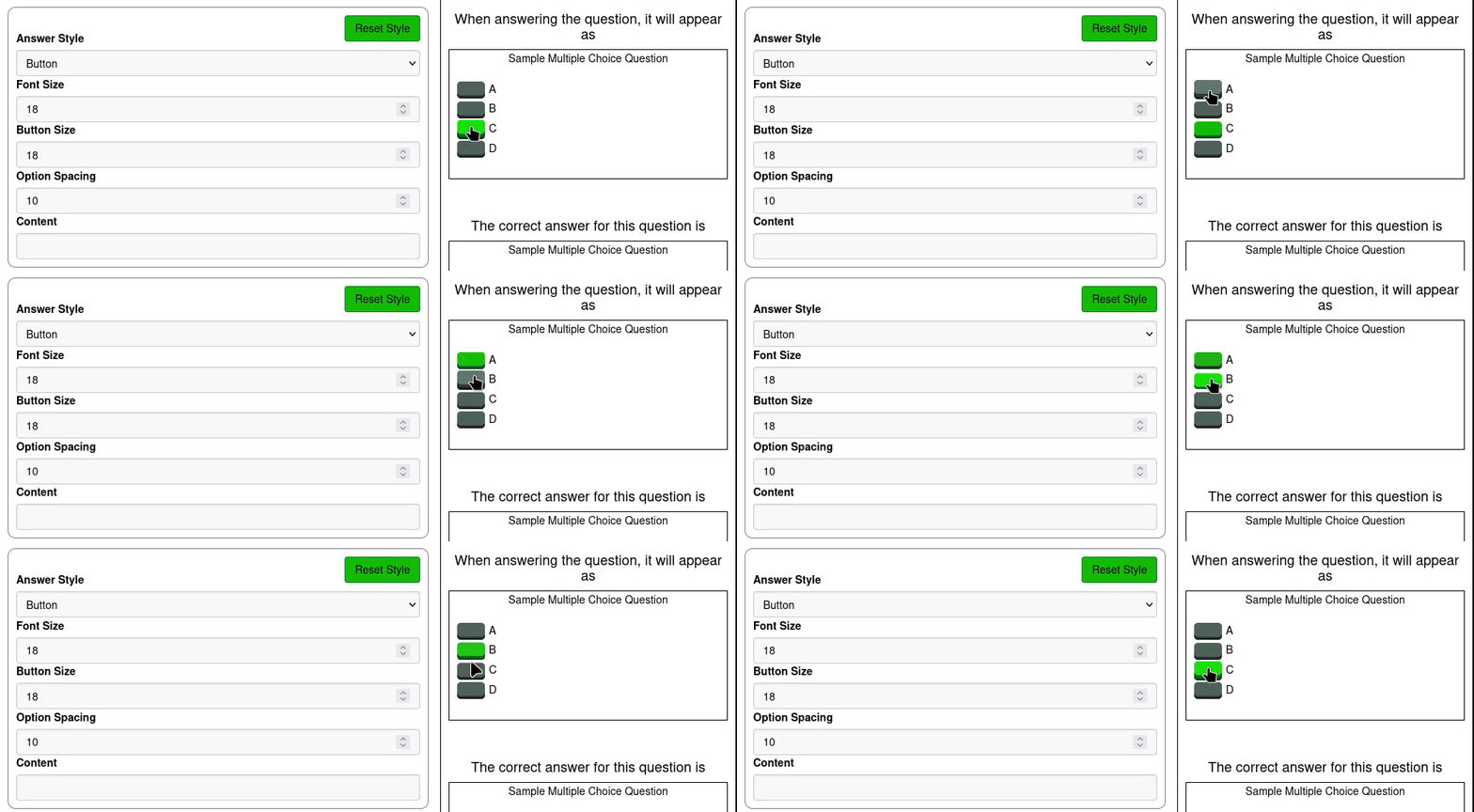
The Button style replaces the radio button in the default option with a flat button.
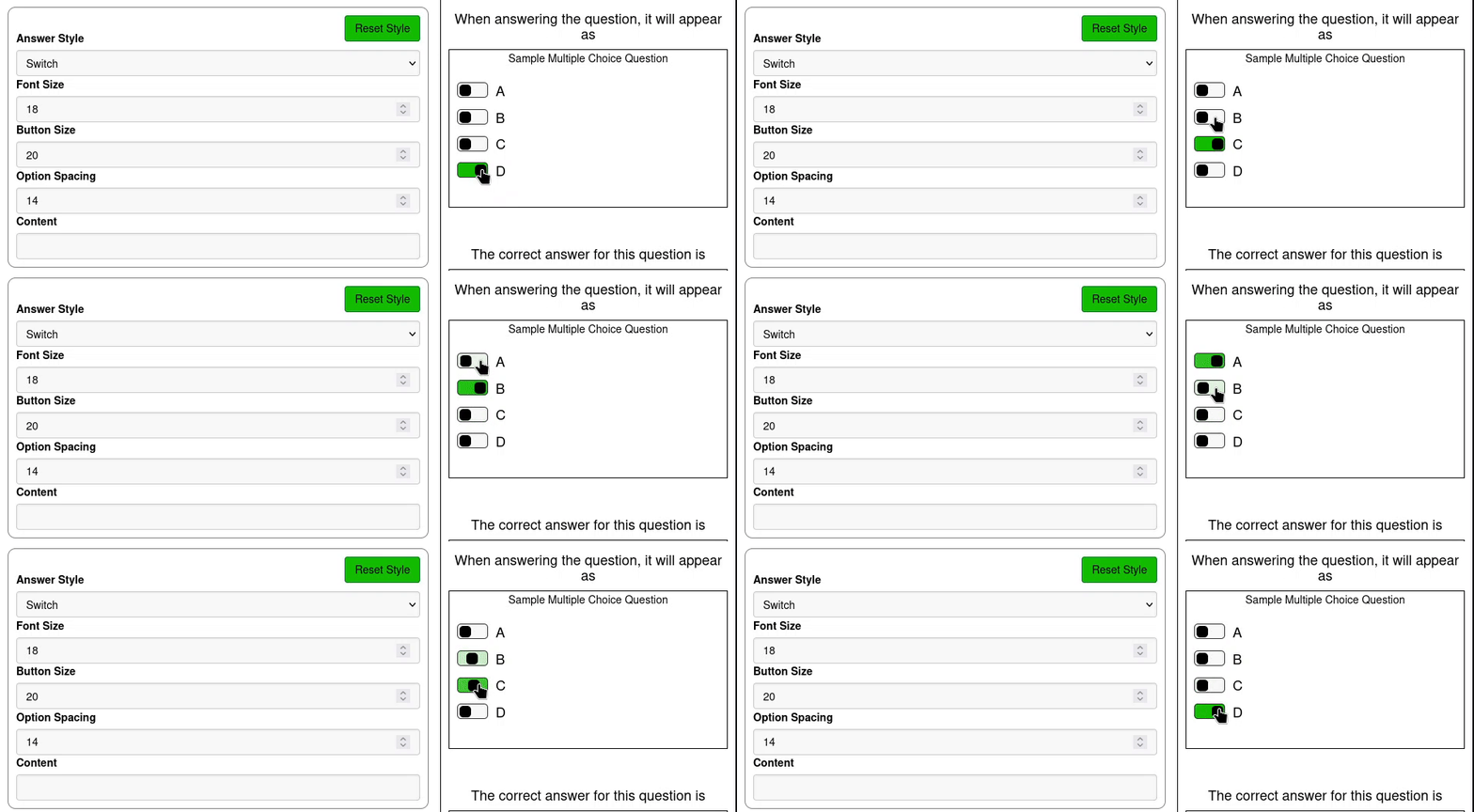
The Switch button style replaces the radio button in the default option with a switch.
¶ Practical Example
The following example is of a question that could be used in an introductory statistics course.
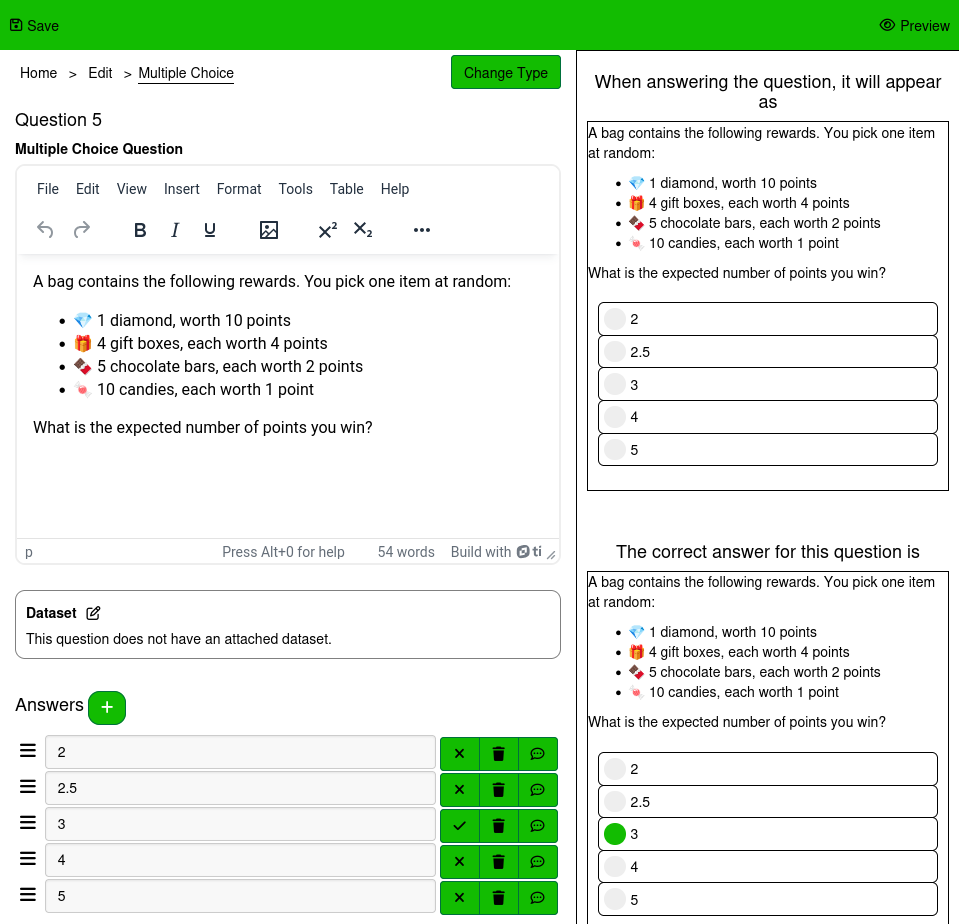
This question also provides a solution, which students are able to see on the Review Answers page at the time they're made available in the Assignment Settings page.