¶ Navigating to the page
- From the Dashboard, go to either the Homework & Quizzes tab or the In Class Exercises tab
- Create a new Exercise or edit an existing exercise
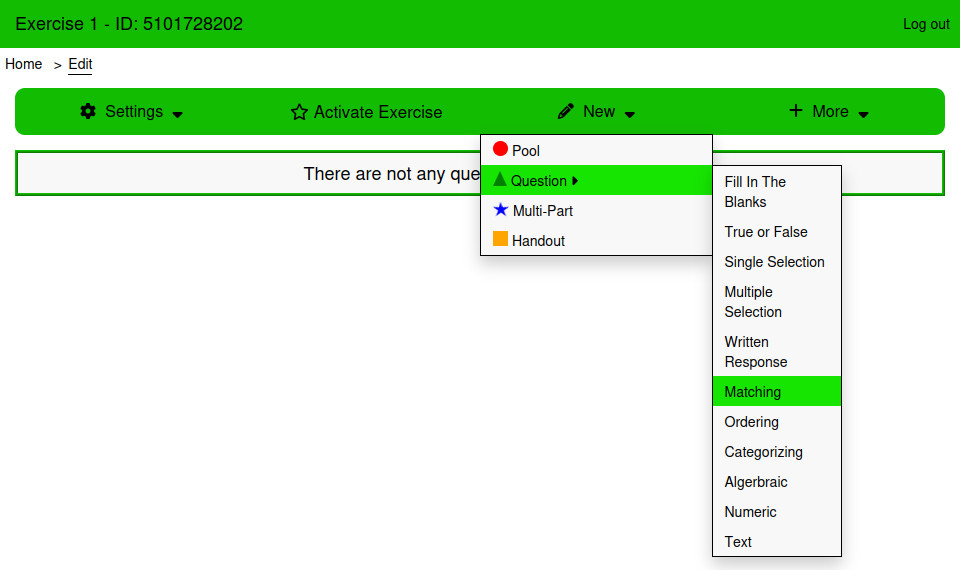
- From the Edit page, Click New → Question → Matching
¶ Using the page
¶ Answers
The answers table is used to create the answers that students will match. Answers cannot be empty when saving a Matching Question. The table is sortable. The order of answers can be changed by clicking and dragging the bars icon next to the answer input.
¶ Settings
¶ This is a poll
Poll questions have no correct answer, and will not be marked.
¶ How is this question graded?
There are three ways that Multiple Selection questions can be graded:
¶ Equally Weighted
Marks are evenly distributed across all answers. Learners earn part marks for each correct answer.
¶ All or Nothing
Full marks are provided only if every answer is correctly matched.
¶ Right Minus Wrong
Marks are evenly distributed across all answers. Learners earn part marks for each correct answer and lose points for incorrectly matched answers. Learners cannot receive less than 0 marks.
¶ Pool Answers
Instead of displaying all of the answers written down, randomly select some of the answers to display.
¶ Style
¶ Answer Style
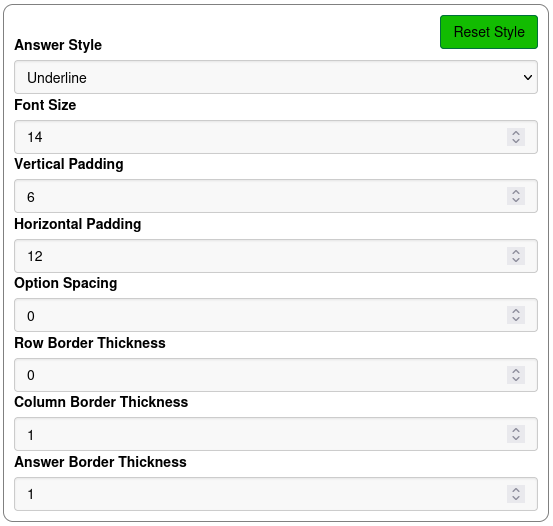
Select between the styles Default, Split, and Underline
¶ Font Size
The font size of the text.
¶ Vertical Padding
The vertical padding of the select inputs.
¶ Horizontal Padding
The horizontal padding of the select inputs
¶ Option Spacing
The spacing between each option in the question.
¶ Row Border
The thickness of the border between each row.
¶ Column Border
The thickness of the border in the middle of the answer.
¶ Answer Border
The thickness of the border surrounding the answer.
¶ Examples
¶ Naming Numbers
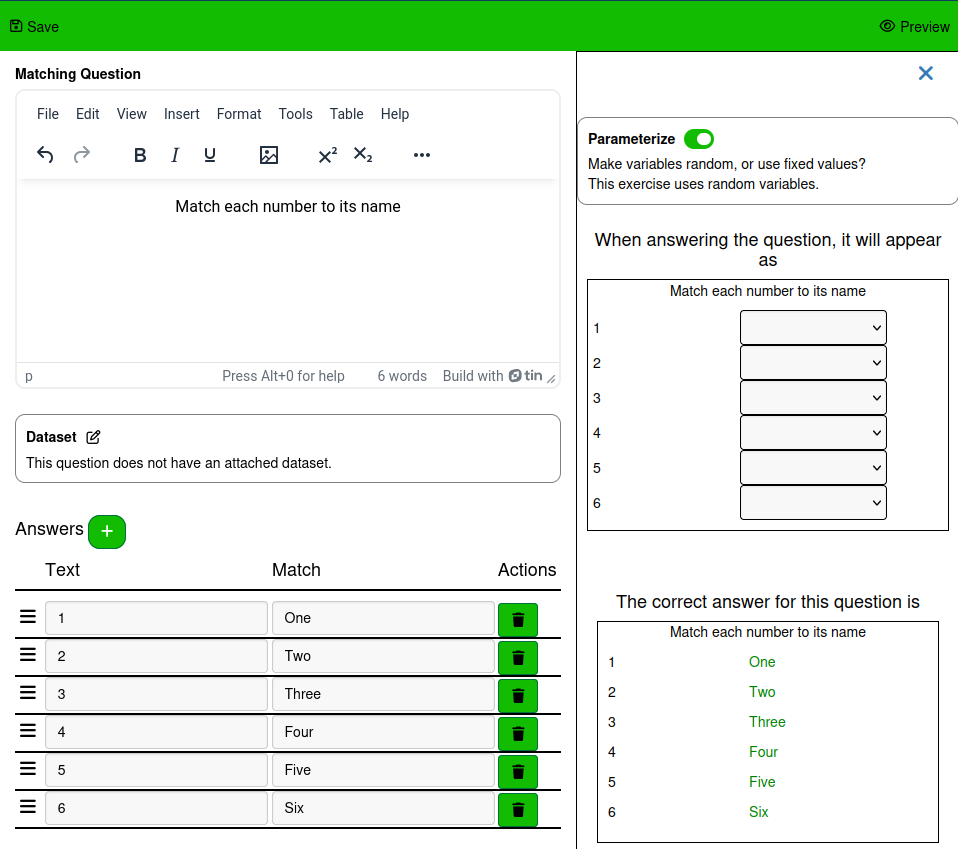
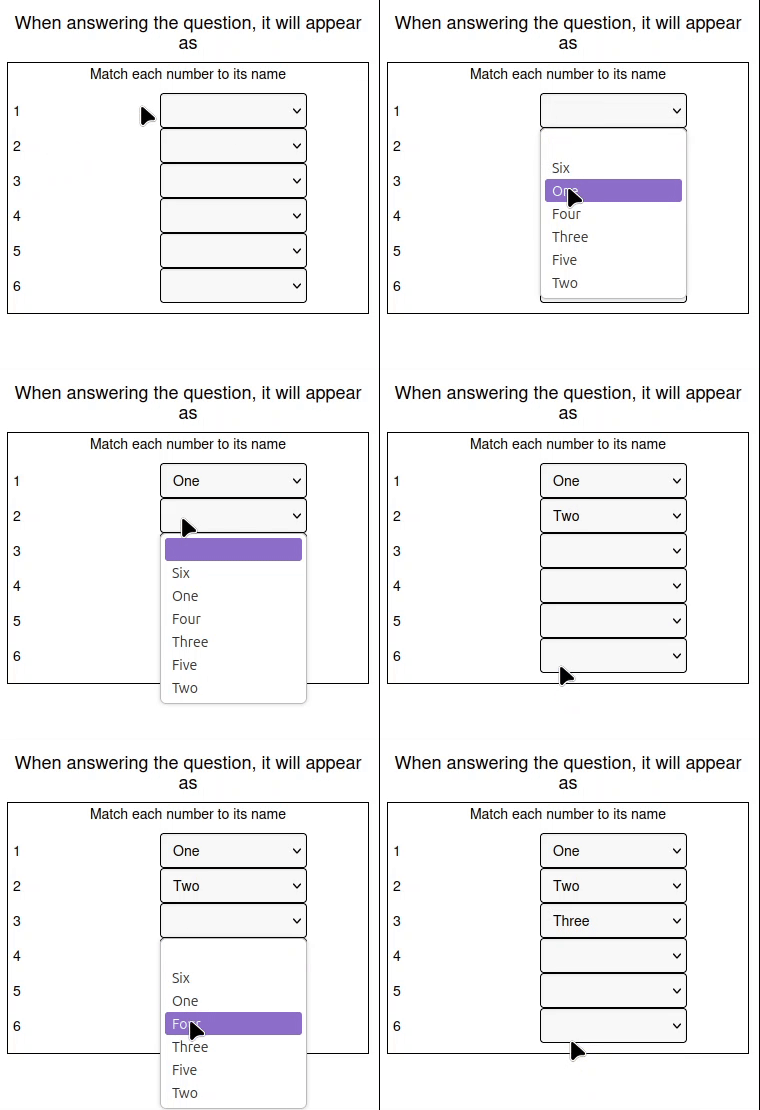
This example asks the student to select the written name for the numbers shown
There are three different styles this matching questions can take
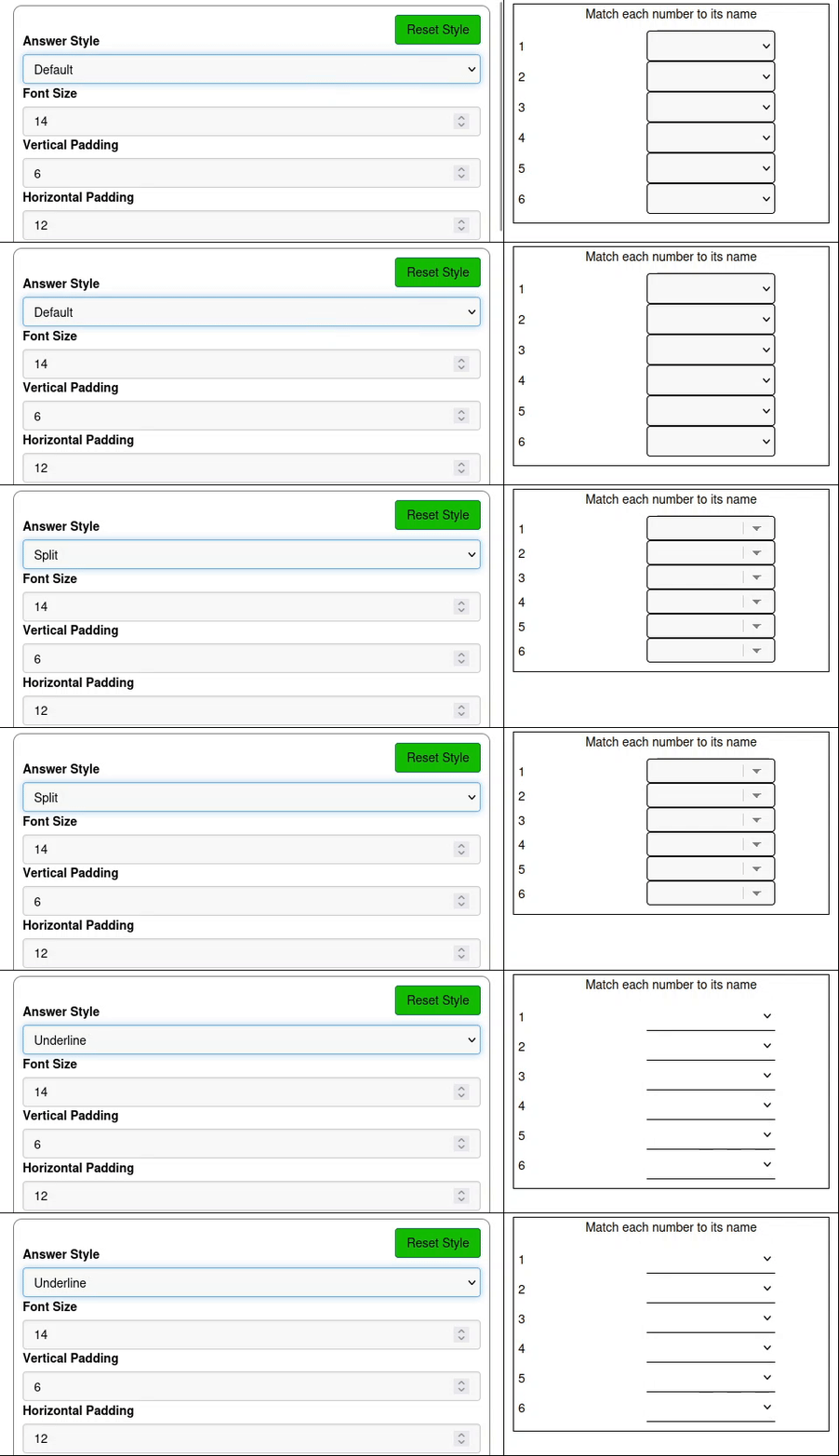
This example uses the Default style. This question is answered by clicking on the select inputs in the right column and selecting the correct option for each row. Every select input needs an option to be selected for the answer to be fully correct.
¶ Naming Animals
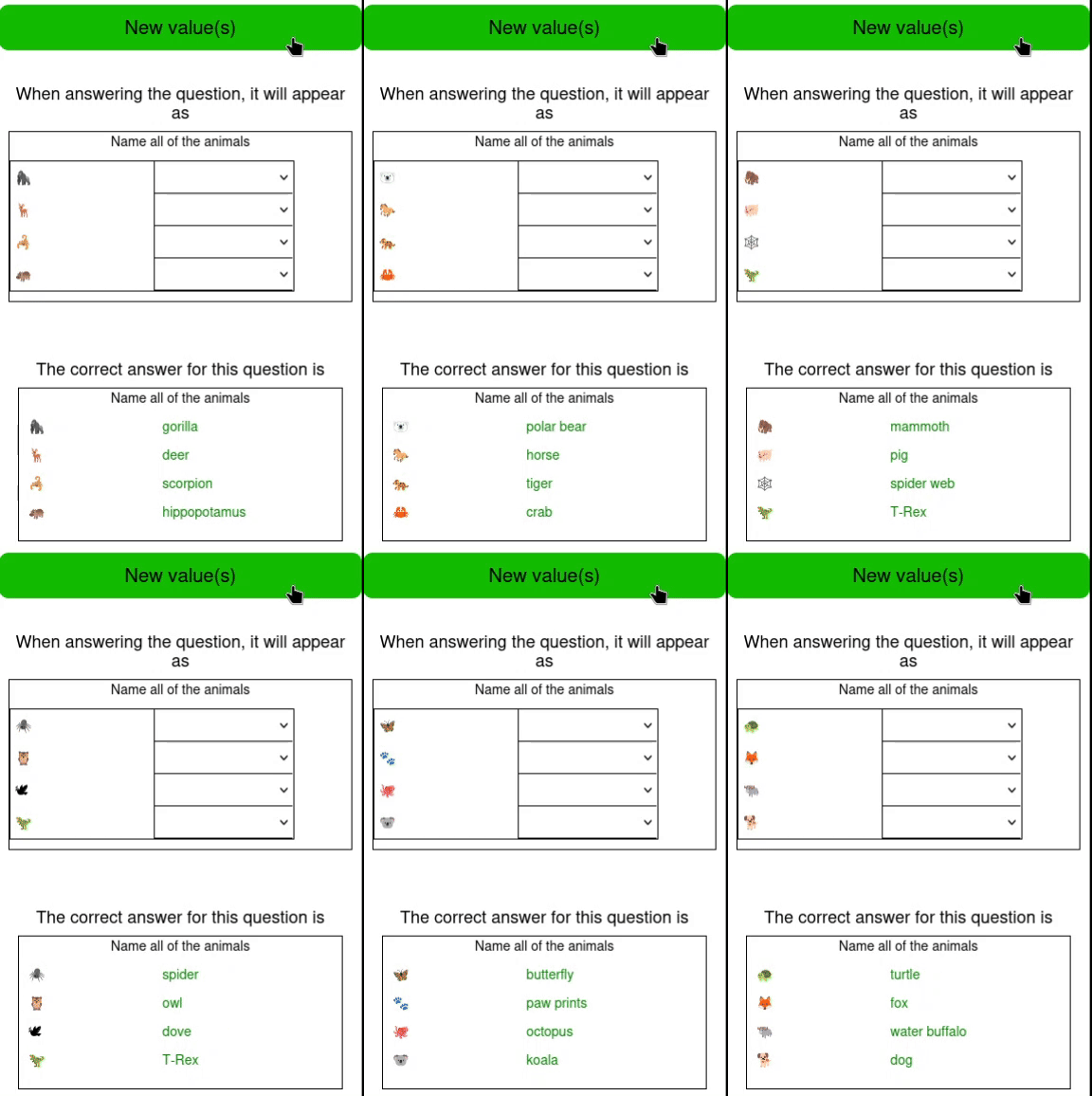
This example uses emojis to represent animals and then asks the student to give the correct name to each one. See the Emojis tutorial for more information about using emojis in formulas.
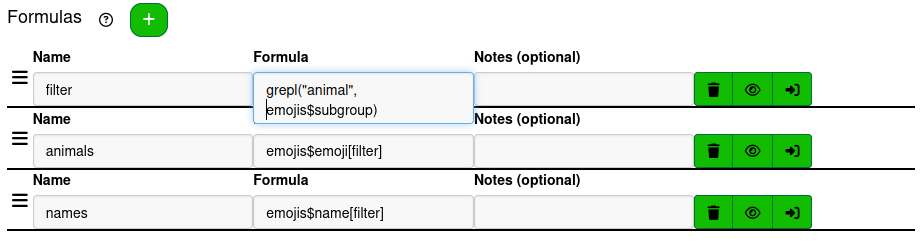
To select the emojis with short and readable formulas, this example is going to use an extra formula to filter the emojis table with. The filter formula is grepl("animal", emojis$subgroup). This filter is true whenever the pattern “animal” exists in the emoji's subgroup and false otherwise. Filter the emoji column with the formula emojis$emoji[filter] and the name column with emojis$name[filter] to define the vectors that the answers will sample from.
Just like the Sorting emojis with a Categorizing question example in the Emojis tutorial, this example will create a variable for each question, where each variable's maximum value is one less than the one before it, and create formulas that treat the variables as indices of the animals and names vectors. The formulas will exclude the indices selected for the previous formulas before including the corresponding index to ensure that the animals selected do not repeat.
There are 135 emojis that match the filter formula. This can be checked in the R console by pressing Load Variables and Formulas and using code such as len(animals) or sum(filter).
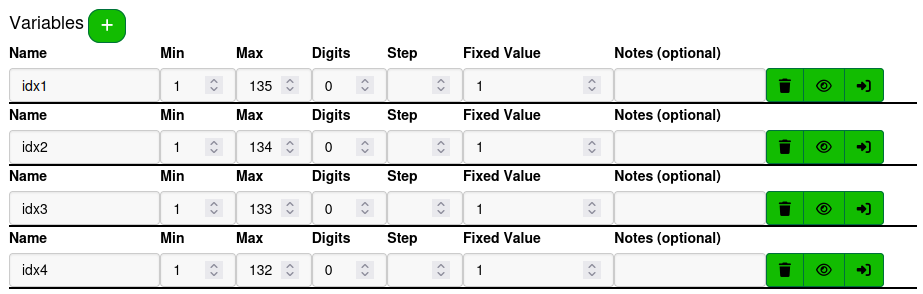
To make 4 answers, make 4 variables with minimum value 1 and maximum value 135, 134, 133, and 132 respectively.
Next, define 8 formulas, an animal for each index and a name for each index. Make sure that the corresponding animal and name use the same index to guarantee that the correct answers work as intended in the question.
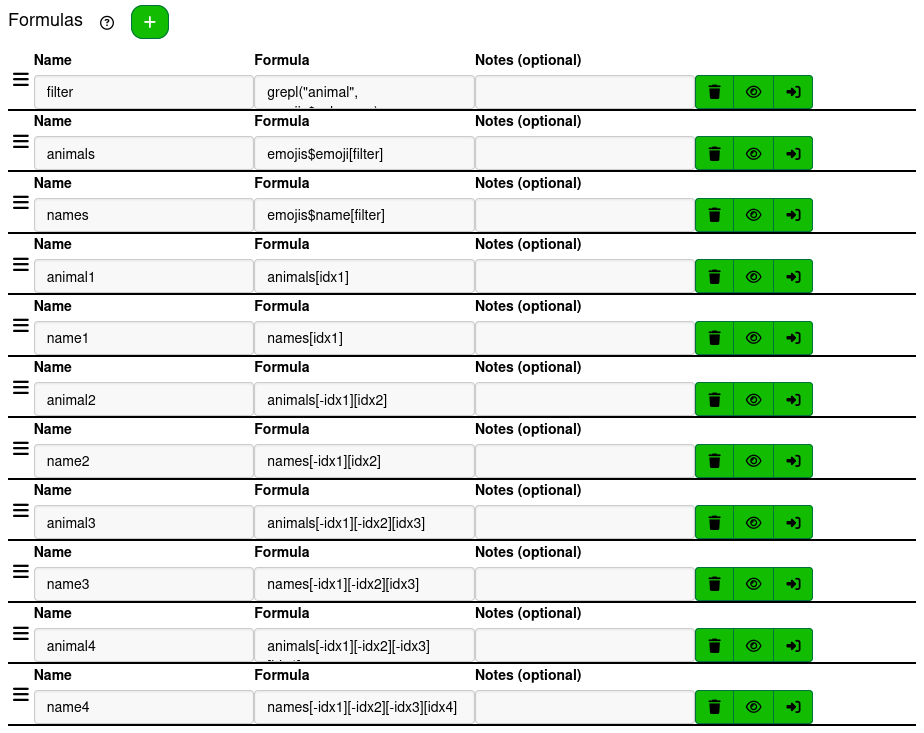
These formulas all use a repeating pattern. name1 is given the formula names[idx1]. To make sure name2 isn't the same as name1, even if idx2 and idx1 are the same, idx1 is removed before selecting idx2 when subsetting the names vector, using the formula names[-idx1][idx2]. This pattern continues with name3 being assigned the formula names[-idx1][-idx2][idx3] and finishes with name4 being assigned the formula names[-idx1][-idx2][-idx3][idx4]. The animal formulas follow the same pattern with the animals vector.
With the variables and formulas defined, create 4 answers using the substitution syntax !{…} to substitute the formulas into the Text and Match columns of each answer.
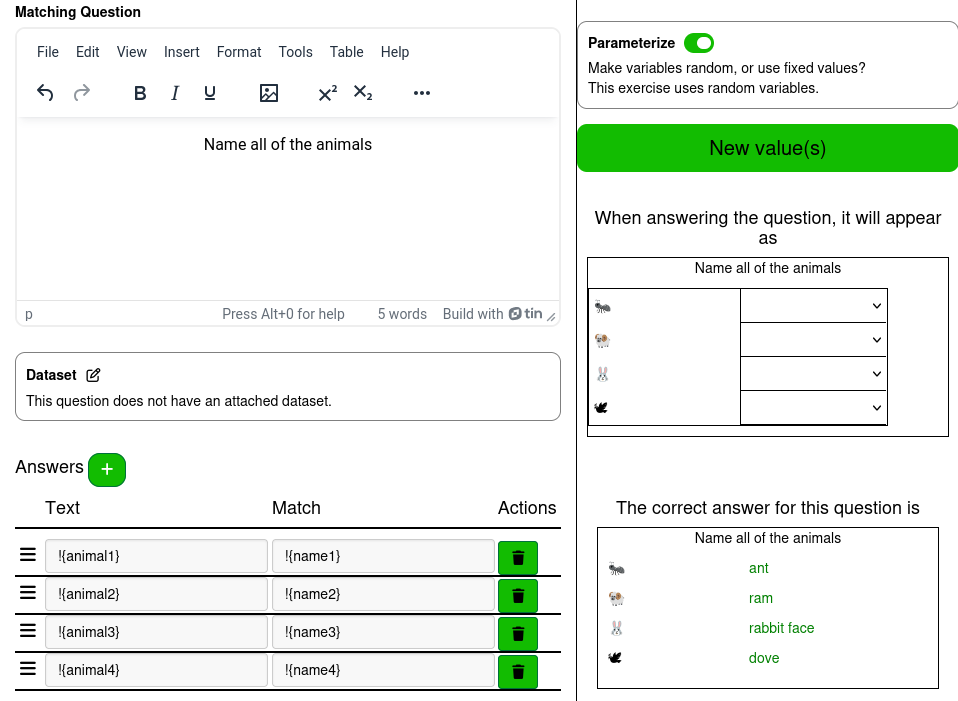
This example uses the Underline answer style and sets the Column Border Thickness and Answer Border Thickness to 1 px.
The example is complete, and with the randomization can be used to generate multiple unique variations of the question.