¶ Navigating to the page
- From the Dashboard, go to either the Homework & Quizzes tab or the In Class Exercises tab
- Create a new Exercise or edit an existing exercise
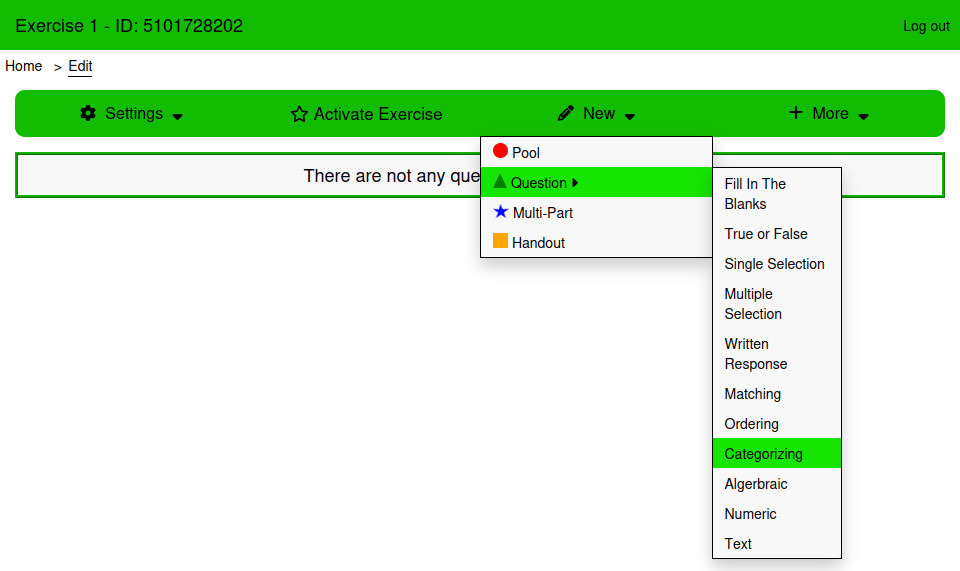
- From the Edit page, Click New → Question → Categorizing
¶ Using the page
¶ Categories
The answers in this question type belong to categories that are written in the Categories table. A Categorizing question can have any number of categories. Each category can have a limit to how many answers fit in it. To have the category be unlimited, leave the limit input blank.
¶ Answers
The answers table is used to create the answers that students will match. Answers cannot be empty when saving a Matching Question. The table is sortable. The order of answers can be changed by clicking and dragging the bars icon next to the answer input.
¶ Settings
¶ How is this question graded?
There are three ways that Multiple Selection questions can be graded:
¶ Equally Weighted
Marks are evenly distributed across all answers. Learners earn part marks for each correctly categorized answer.
¶ All or Nothing
Full marks are provided only if every answer is in the correct category.
¶ Right Minus Wrong
Marks are evenly distributed across all answers. Learners earn part marks for each correct answer and lose points for incorrectly categorized answers. Learners cannot receive less than 0 marks.
¶ Style
¶ Category Font Size
The font size of the category text.
¶ Answer Font Size
The font size of the answer text.
¶ Examples
This example asks the student to sort some animals into different classifications.
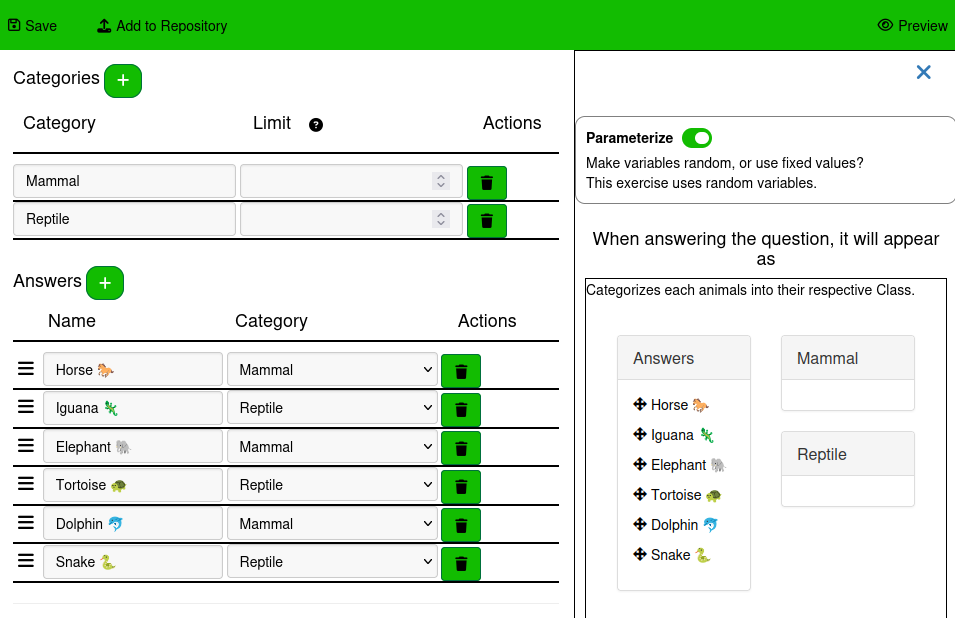
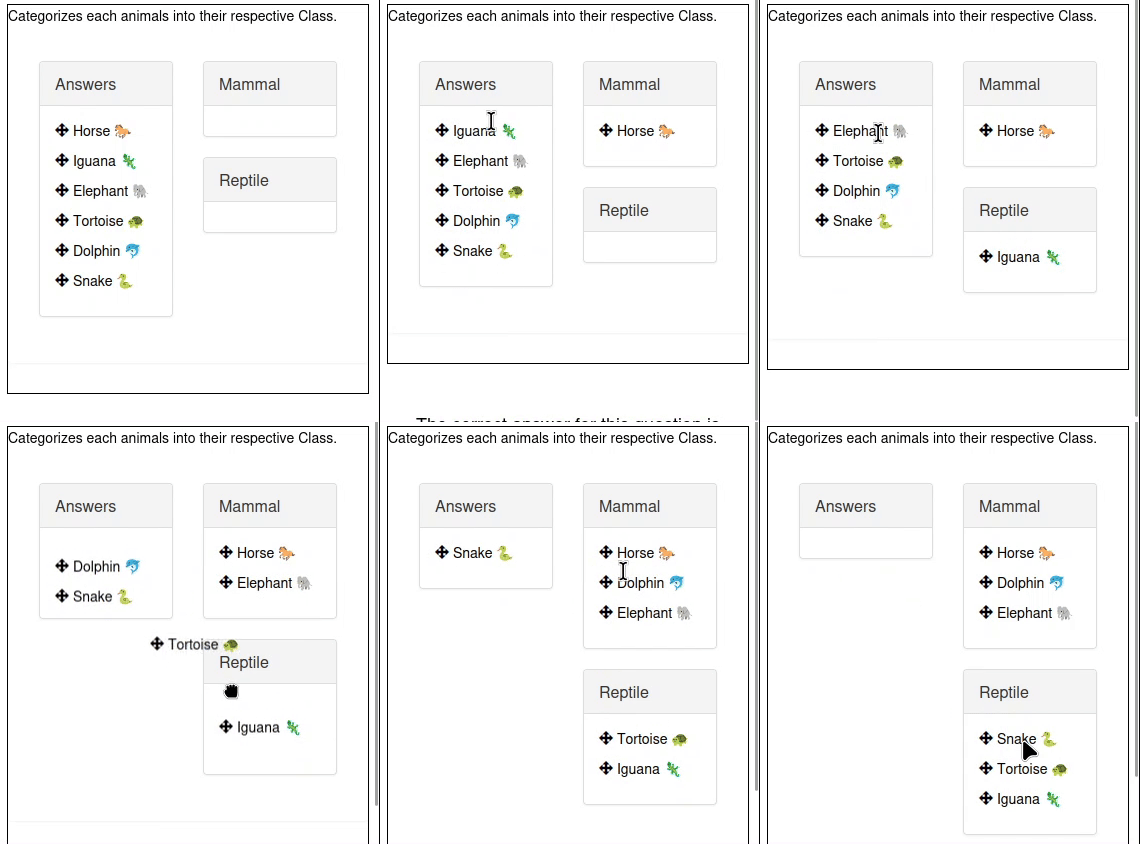
This question is answered by dragging the answers from the Answers category on the left to the correct category on the right.
Each answer can only be in one category, and categories can hold multiple answers. It is possible for Answers in Categorizing questions to not belong to any of the categories. In this case, the answer is correct when it is left in the Answers category on the left
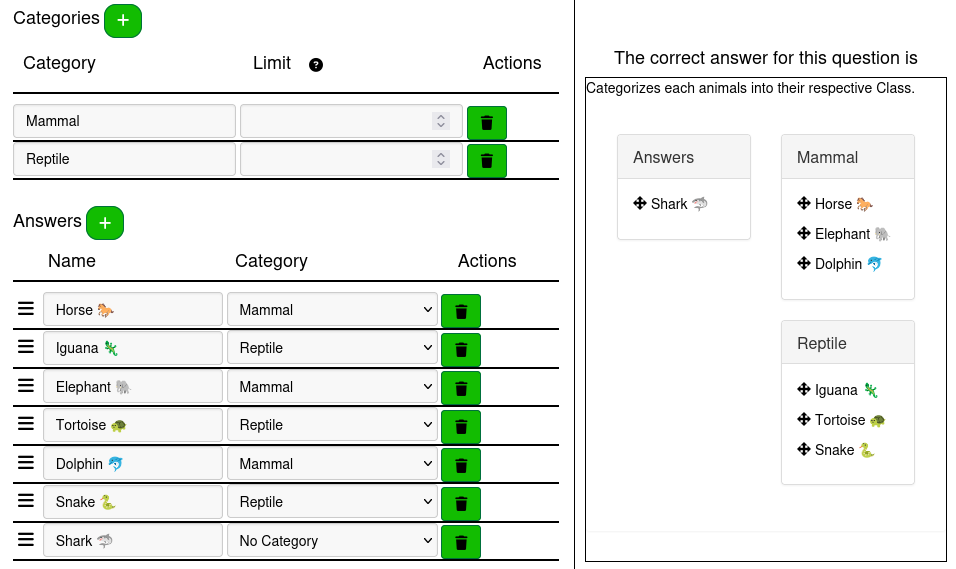
To have an answer be left uncategorized in the correct answer, select “No Category” in the Category column.